
Know where the interest goes next.
Keep your hotel’s official booking path. Follow outbound actions from your pages and campaigns, then record the bookings your hotel can verify.
Keep your booking destination
Your booking engine stays at the end of the path.
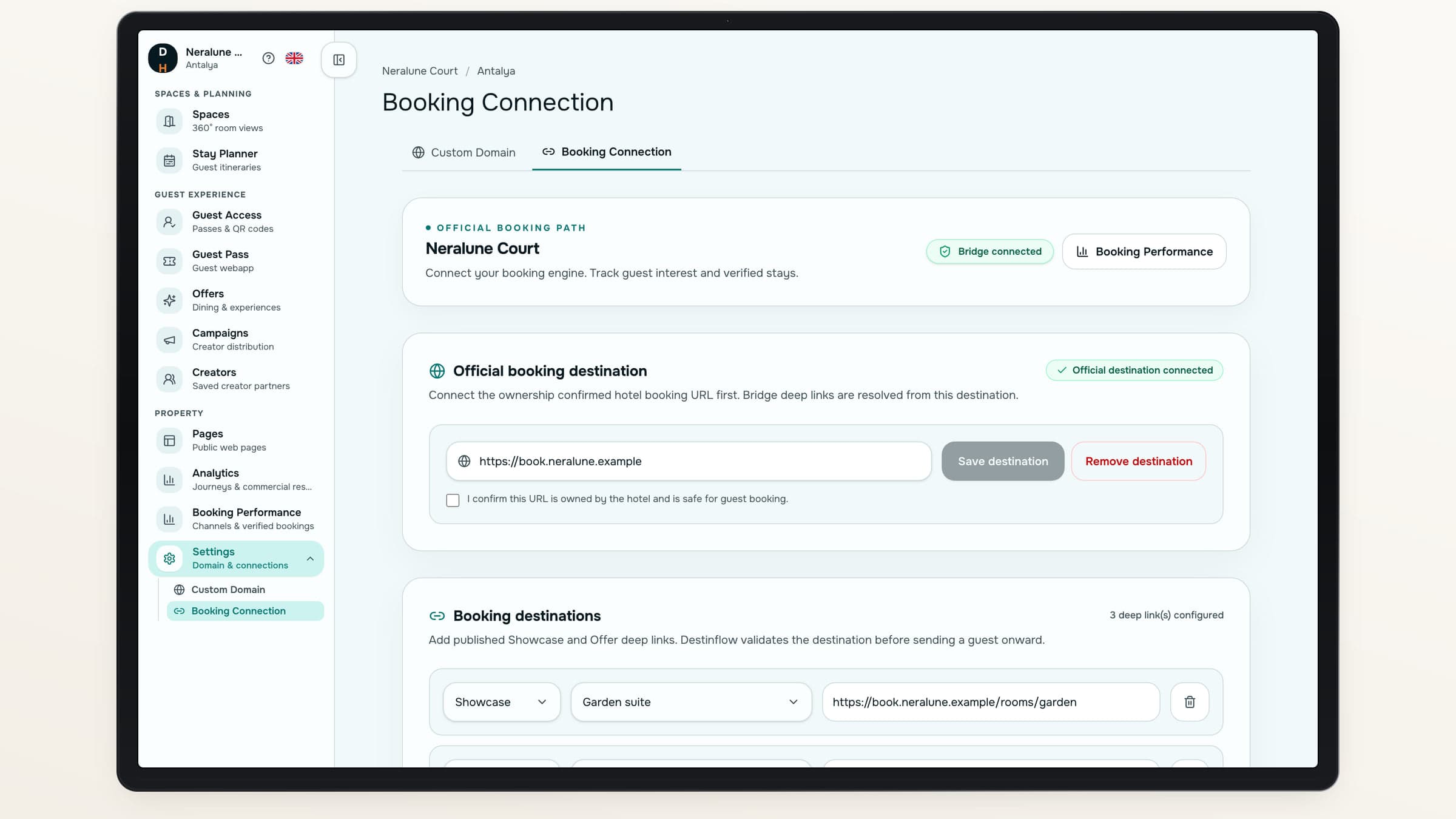
Set the official destination, then add approved room or Offer deep links. Guest actions continue to the destination your hotel has chosen.
One official starting point
Confirm the hotel-owned booking destination.
A more relevant handoff
Use an appropriate room or Offer destination.
Controlled attribution
Choose the query parameters the destination can receive.
Make the channel visible.
- 01
Connect the destination
Save the hotel’s approved booking URL.
- 02
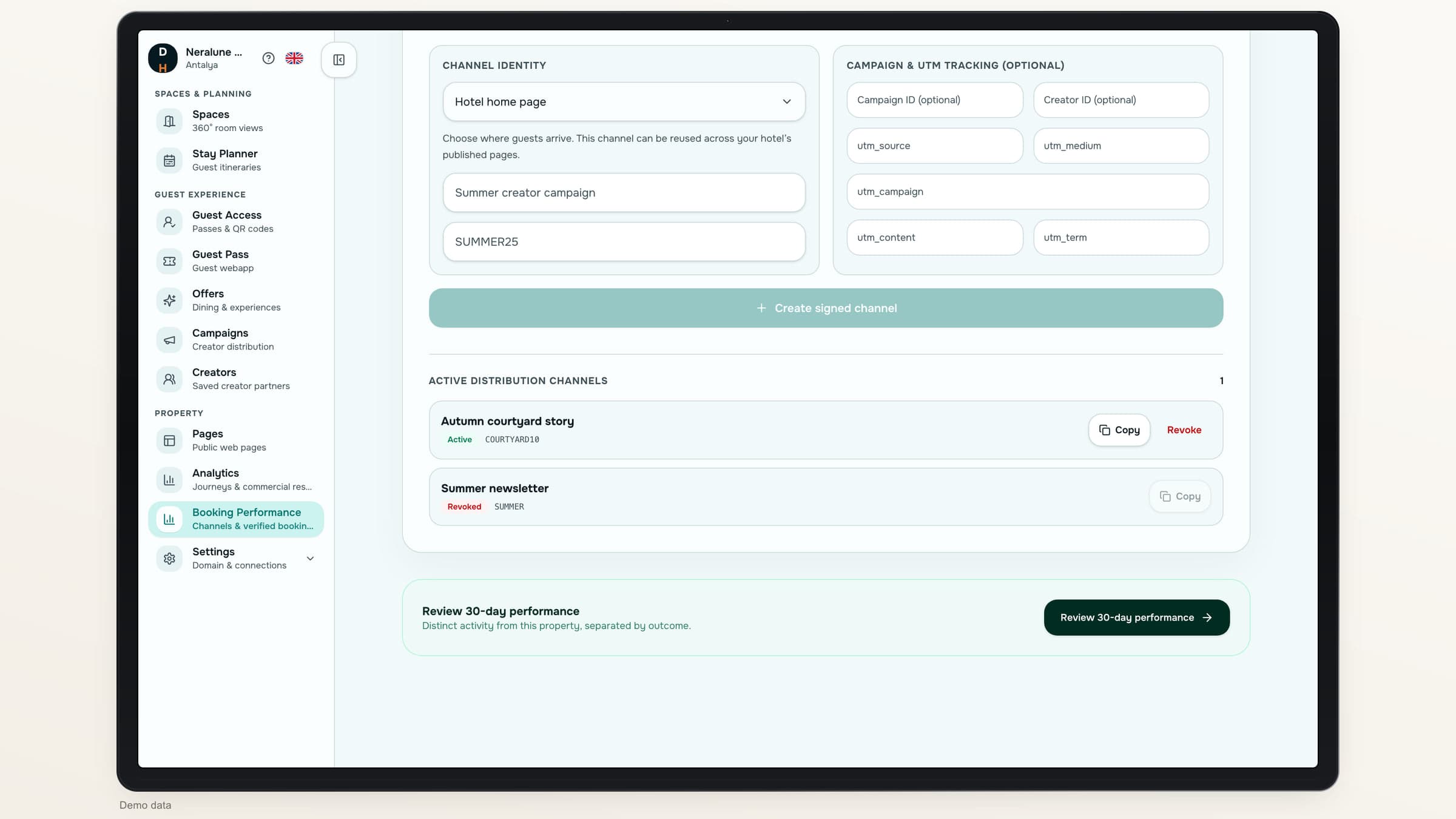
Create a distribution link
Add the channel, campaign, Creator or promo context.
- 03
Follow the booking handoff
Record the handoff to your booking site.
- 04
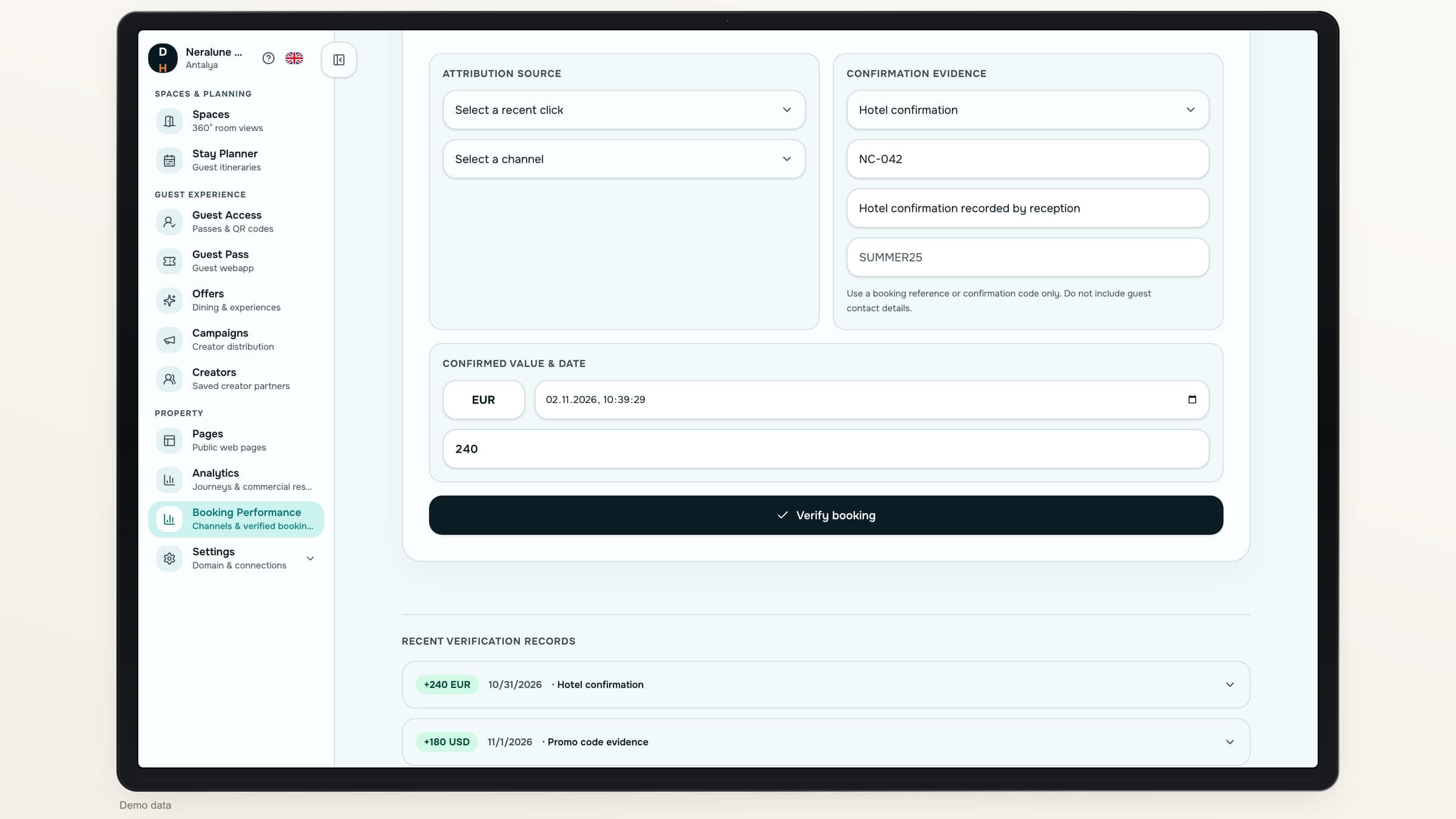
Verify the outcome
Use hotel confirmation, matching promo evidence or a supported integration.
Distribution links
Give each channel its own trail.
Create signed channel links with campaign, Creator, promo-code and UTM context. Share the relevant hotel landing destination and revoke a channel when it should no longer be used.
Attribution follows the approved path to the external booking destination.
A click and a booking tell different stories.
Shift 01
A booking action
What you can observe
A booking handoff was recorded
How it is reported
Counted as a click, not a reservation
Shift 02
A guest access request
What you can observe
Someone asked to unlock the guide
How it is reported
Kept separate as an access lead
Shift 03
An Offer request
What you can observe
Someone requested an experience
How it is reported
Kept separate from a verified room booking
Shift 04
A verified booking
What you can observe
Your team records confirmation or promo-code evidence, or a supported integration confirms it
How it is reported
Reported with its verified value and currency
Give the outcome a record
Keep the evidence beside the result.
Record a hotel-confirmed booking or matching promo-code evidence. Review the audit record and values by currency.
Hotel confirmation
Record a concise confirmation and booking value.
Matching promo evidence
Use a code issued for the distribution channel.
Automatic confirmations
Accept them only from a configured, compatible integration.
Measurement limits
Know what the report can tell you.
- Booking-site visits are not measuredThe report does not confirm whether the external booking page loaded.
- Automatic confirmations need a connectionAutomatic booking confirmations need a compatible connection to your provider. Ask us about yours.
- Room inventory stays elsewhereThis is an attribution bridge, not an availability or reservation engine.
About booking attribution
Do we have to replace our booking engine?+
No. The bridge routes guests to your hotel’s approved external destination.
Can every booking provider send callbacks?+
Not automatically. Automatic confirmations need a compatible connection that is set up for your provider. Your team can always record bookings manually.
Can our team verify bookings manually?+
Yes. Hotel confirmation or matching promo-code evidence can support an auditable booking record with value and currency.
Which results can we review?+
Review channel activity, guest-access leads, Offer requests and recorded booking confirmations, with values shown by currency.
Destinflow for Hotels
Make the booking path easier to account for.
Walk through your destination, channel links and booking-verification options.
- Your official booking destination
- Separate clicks and bookings
- Evidence-backed records