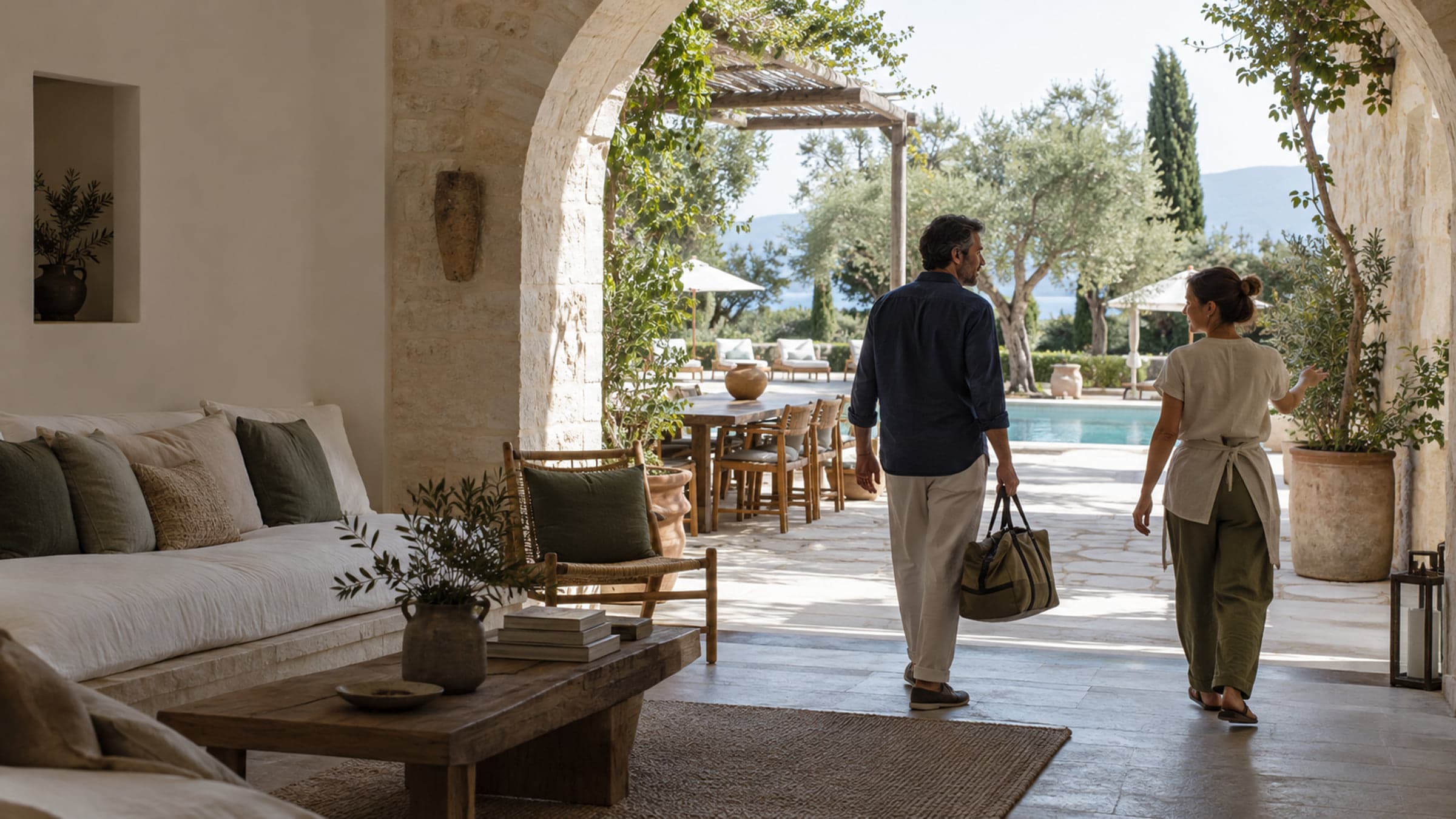
Let guests step inside. Then make the stay their own.
Show the rooms. Offer the experiences. Help guests plan their days. Connect it all to your hotel’s own booking path.
From first look to last day
Your hotel has more to offer.
A room photo starts the conversation. The restaurant, spa, local knowledge and people behind the stay give guests reasons to keep exploring.
Rooms need context
Help guests understand how a space feels and what comes with it.
Experiences need a next step
Put the details and the way to request them beside the experience.
Destinflow answer
Keep the whole stay connected
Turn your spaces into places to explore, your services into Offers, and your local knowledge into a useful guest guide.
- Explore the hotel
- Request an experience
- Plan the days ahead
Meet your digital hotel
A first impression guests can explore.
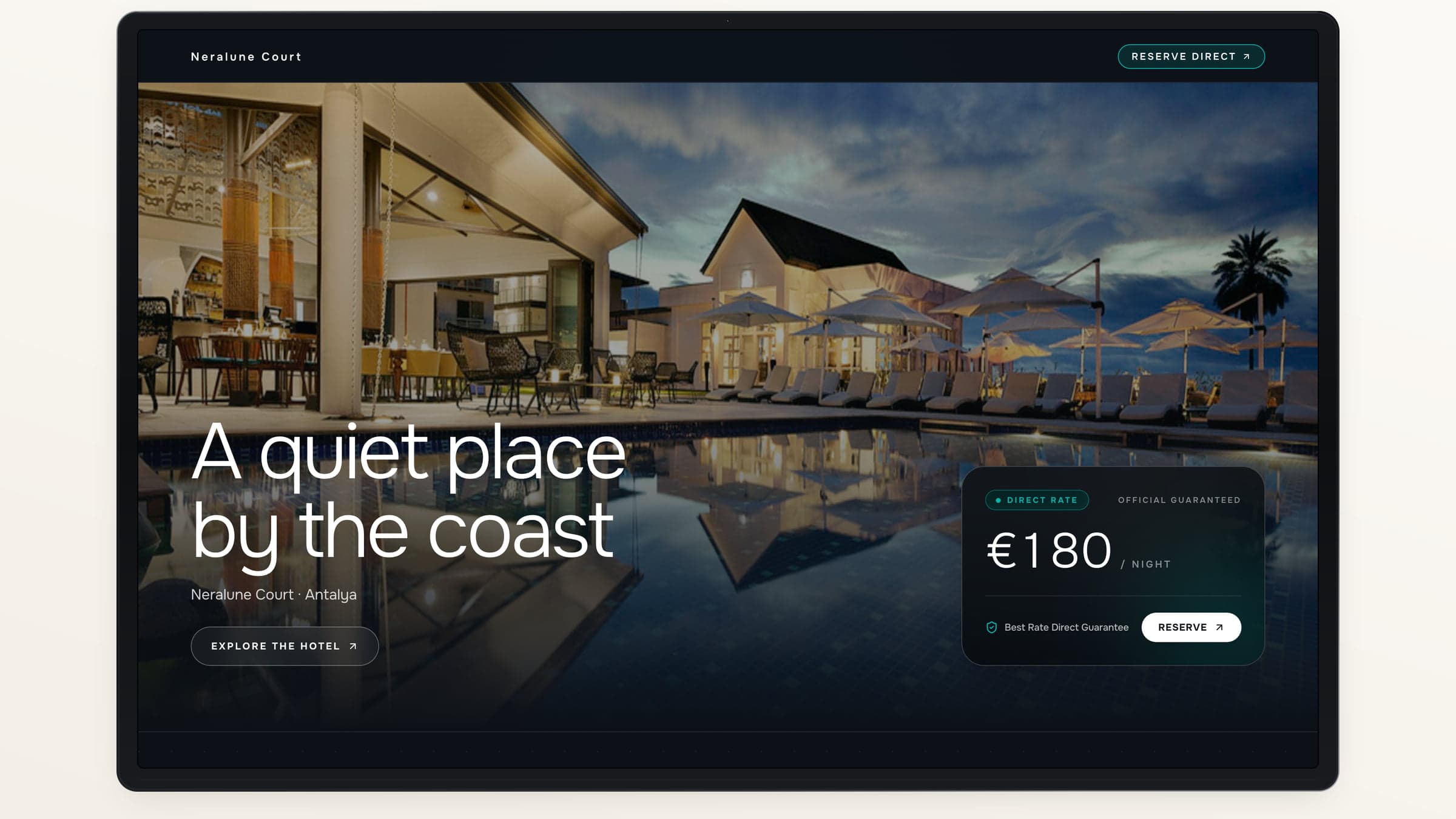
Bring your rooms, photography and 360° views into a hotel presence shaped around your property. Choose an editorial or cinematic look and publish when you are ready.
Spaces with depth
Let guests look around before they choose.
Your hotel’s identity
Use your logo, accent and chosen design family.
A useful next step
Connect the visit to an Offer or your official booking site.
One connected journey
Build on what makes your hotel worth visiting.
Start with a space. Bring more of the stay into the guest’s hands as you go.
- 01
Show
Open the door to your spaces
Capture and review a 360° view, then share it or build a Showcase.
Explore Spaces - 02
Offer
Give experiences a place to be found
Present dining, wellness, transfers and more with a clear request path.
Explore Offers - 03
Welcome
Put the hotel in the guest’s pocket
Share the guide, Wi-Fi, service hours and today’s programs.
Explore Guest Pass - 04
Plan
Help each guest shape the stay
Combine hotel programs, selected experiences and nearby suggestions.
Explore Stay Planner - 05
Reach
Give Creator stories a destination
Publish a campaign with the video, spaces and next steps together.
Explore Creator campaigns - 06
Understand
Follow the results
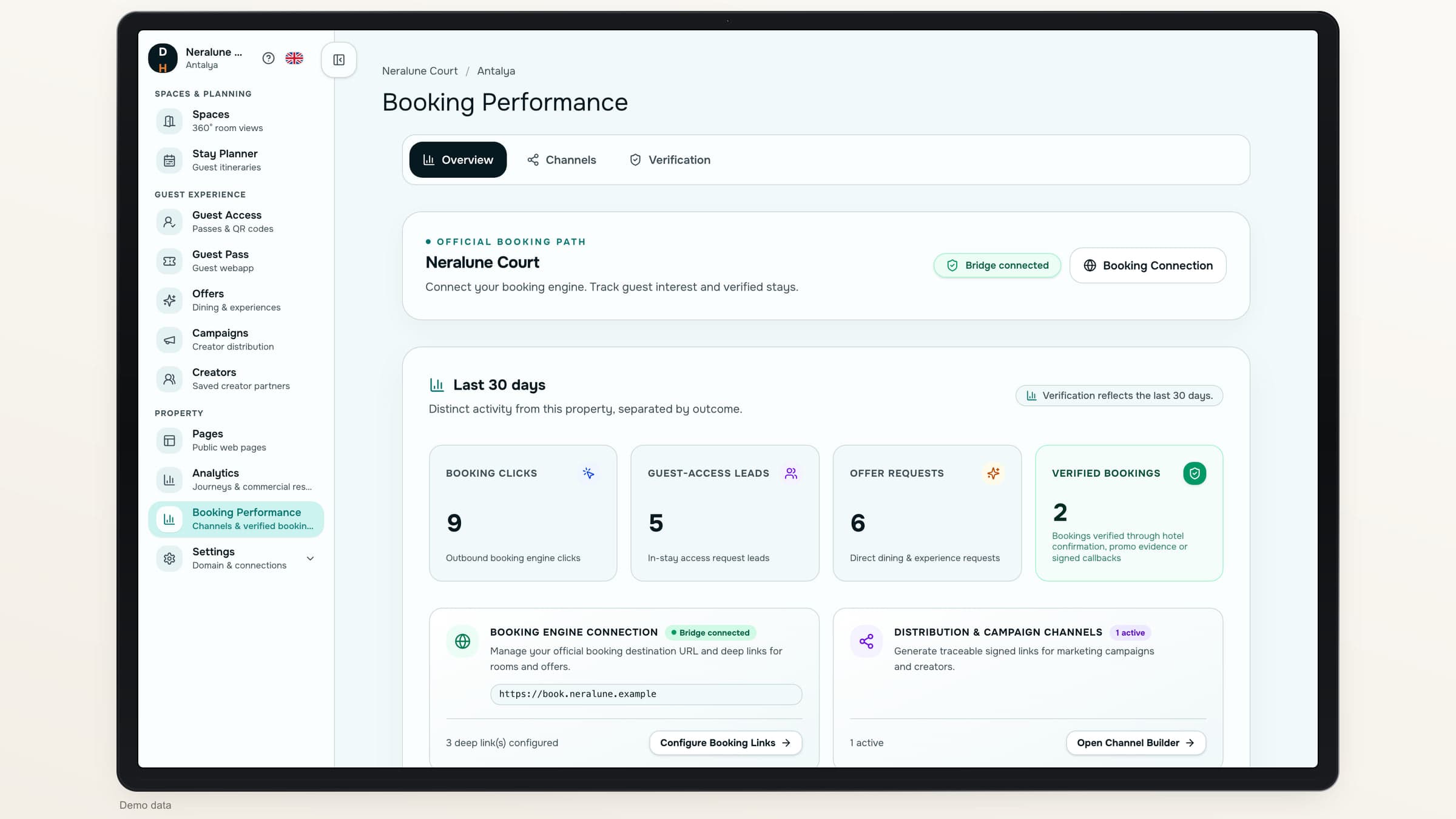
See what guests explore, request and book, with each result counted on its own.
Explore reporting
During the stay
The useful details, right when guests need them.
A mobile guide for the questions that come up every day: how to connect, what is open, what is happening and how to reach the hotel.
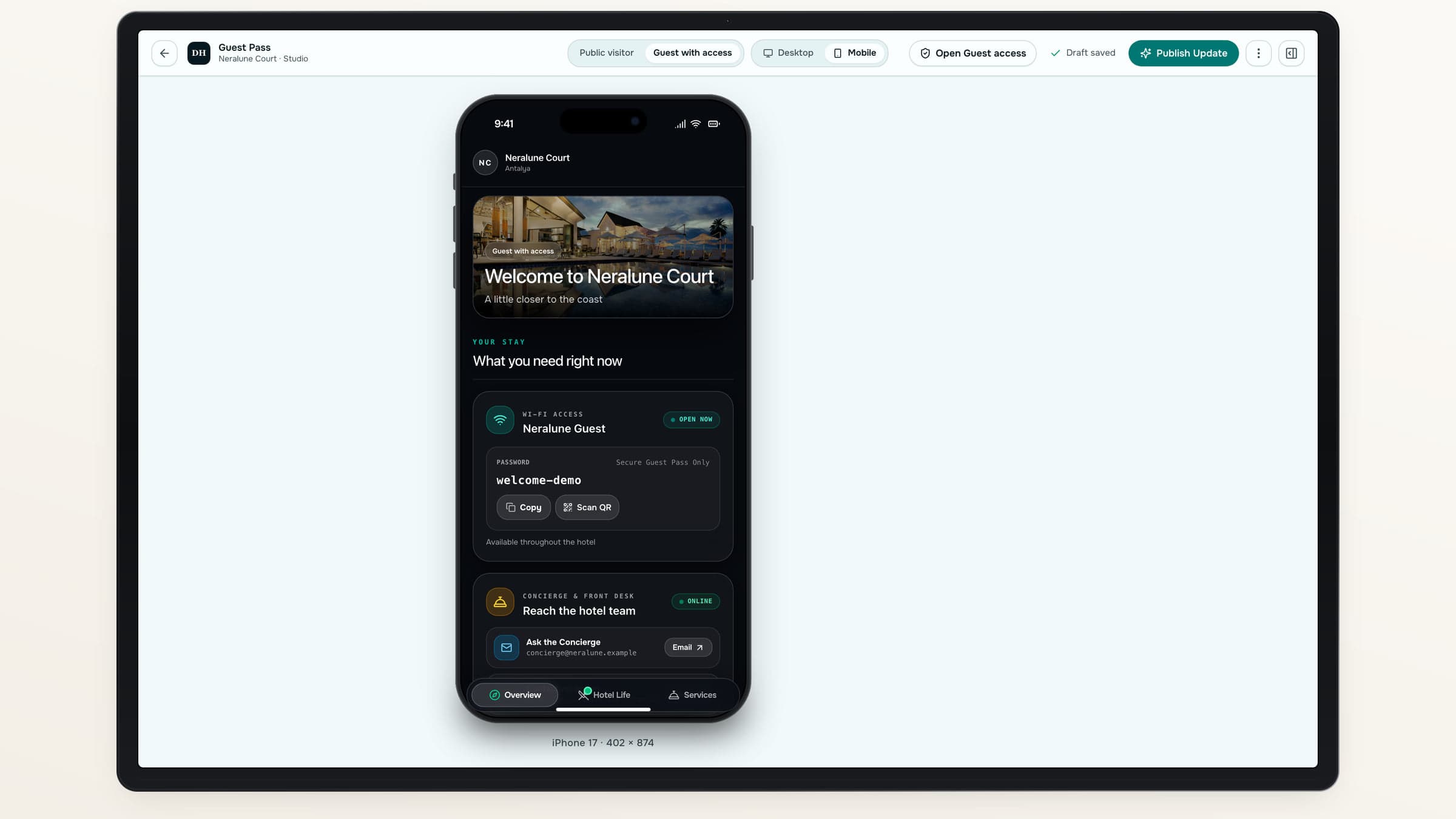
One shared hotel guide, with private details available to guests you approve.
Connected around your property
The same hotel, from every starting point.
Your spaces and Offers can appear across your website, guest guide and Creator campaigns. Guests get the context for the action they want to take.
Connected layer
Discover
Help guests explore before arrival.
360° SpacesRoom ShowcasesHotel pages
Connected layer
Enjoy
Bring useful hotel information and experiences together.
Guest PassExperience requestsStay plans
Connected layer
Reach
Give each collaboration a hotel-owned destination.
Creator videoSelected SpacesCampaign Offers
Connected layer
Measure
See engagement and commercial outcomes separately.
Requests and confirmationsVerified bookingsValues by currency
Explore the product
Find the part your hotel needs next.
Go deeper into the tools for presenting your property, welcoming guests and understanding results.
01
Present the property
Make the hotel easier to understand.
02
Support the stay
Help guests find what they need and choose what to do.
03
Grow your reach
Connect distribution to results you can explain.
For the people behind the stay
Give each team something useful.
Different hotel teams work on different parts of the same guest journey.
Owners & general managers
See what is working
Review guest activity and commercial results, with booking evidence and campaign reports close at hand.
- Review requests and confirmed experiences
- Follow booking and campaign results
Marketing
Show what makes the property special
Create visual hotel pages and focused Creator campaigns.
- Present rooms and experiences
- Review content before it goes live
Reception
Handle guest access in one place
Find requests, approve access and resend an invitation when needed.
- Search the guest list
- Renew or revoke access
Guest experience
Help guests make plans
Keep the guide useful and connect hotel programs to each stay.
- Share service hours
- Offer local recommendations
Keep your booking path
Guests book rooms with your hotel.
Send guests to your official booking destination. Follow channel activity and record the bookings your team can confirm.
Your chosen destination
Link to the hotel’s official booking site.
A clearer record
Review channel activity and verified outcomes separately.
Getting started with Destinflow for Hotels
How does a hotel get started?+
Request access with your hotel’s business email. Once the email is confirmed and the request is approved, your team sets up the property in Hotel Studio.
Can we start with one part of the product?+
Yes. Start with Spaces, your hotel pages or the guest guide, then add the rest as your content is ready.
Do guests need to install an app?+
No. Public hotel pages and Guest Pass open in the browser. Guests can enter through a link or QR code.
Does Destinflow replace our booking engine or PMS?+
No. Room-booking actions lead to your official booking destination. Destinflow does not manage room inventory or import PMS reservations.
How are bookings counted?+
A booking is counted after your team records confirmation or matching promo-code evidence, or a compatible booking-system connection supplies confirmation. Requests and clicks are tracked separately.
Destinflow for Hotels
Let us show you the whole journey.
Walk through Spaces, Offers, Guest Pass and campaign reporting with your hotel’s priorities in mind.
- Your hotel’s identity
- Browser-based guest experiences
- Your official booking path