
Give the story somewhere to take guests.
Bring a Creator’s video, your hotel’s spaces and a reason to visit into one campaign page. Keep the invitation, approval and results connected to the collaboration.
A campaign worth opening
From watching the story to exploring the stay.
Let visitors watch the Creator’s video, look around selected Spaces, discover Offers and continue to your official booking destination.
The story leads
Present the approved video and Creator introduction.
The hotel is within reach
Put selected Spaces and experiences alongside it.
The next step is clear
Include the promo code and official booking action.
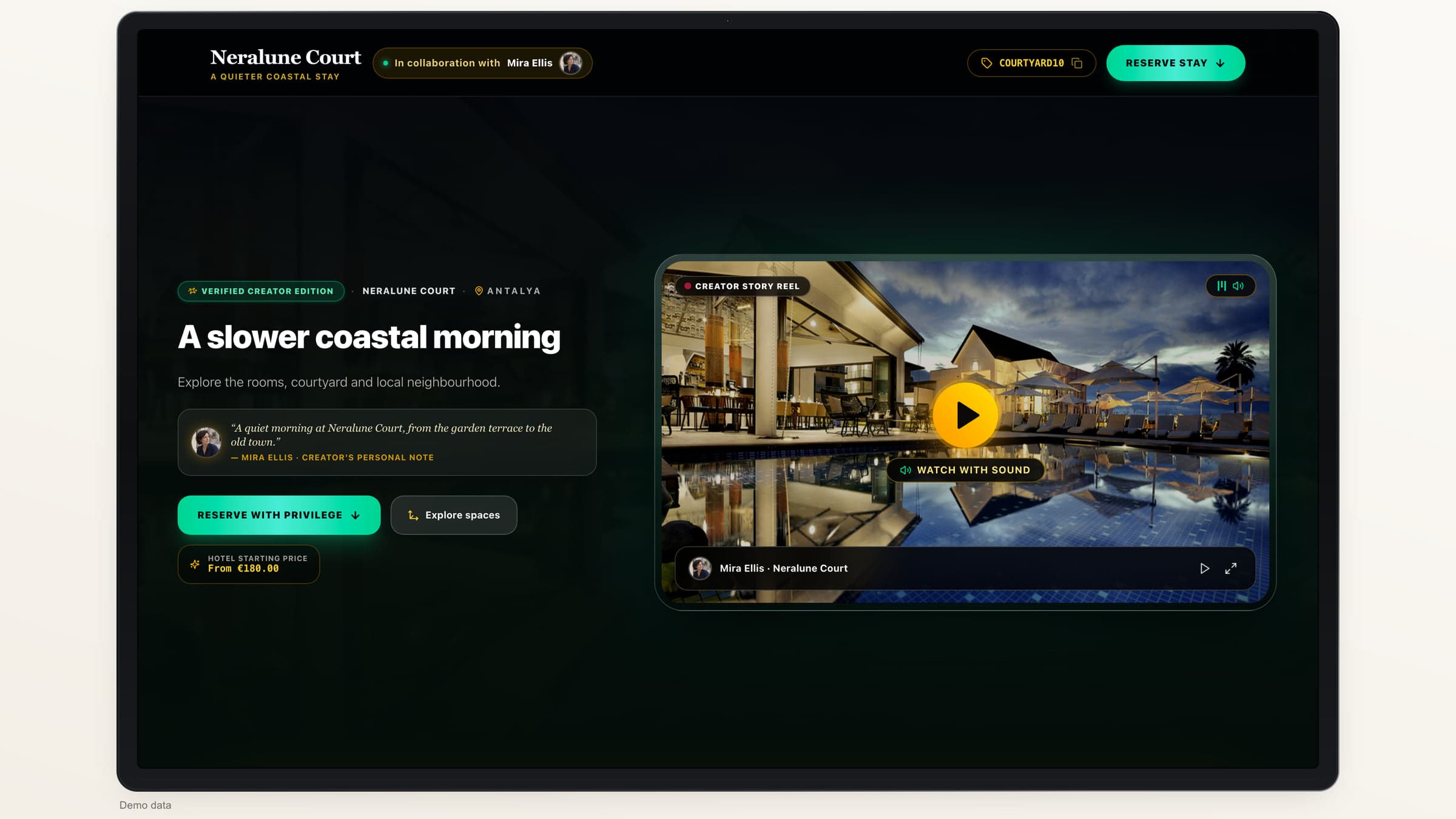
Bring the collaboration into one flow.
- 01
Set the brief
Choose the Creator, Spaces, Offers and agreed terms.
- 02
Invite the Creator
Share secure access to the video submission flow.
- 03
Review the content
Check the video and publication-rights confirmation.
- 04
Approve and publish
Preview the campaign before making it public.
- 05
Review the results
Follow engagement, attributed actions and eligible values.
Make the collaboration easier to return to
Keep the people behind each campaign.
Save Creator contacts, add an optional portrait and find the campaigns you have worked on together. Reuse the contact when the next brief is ready.
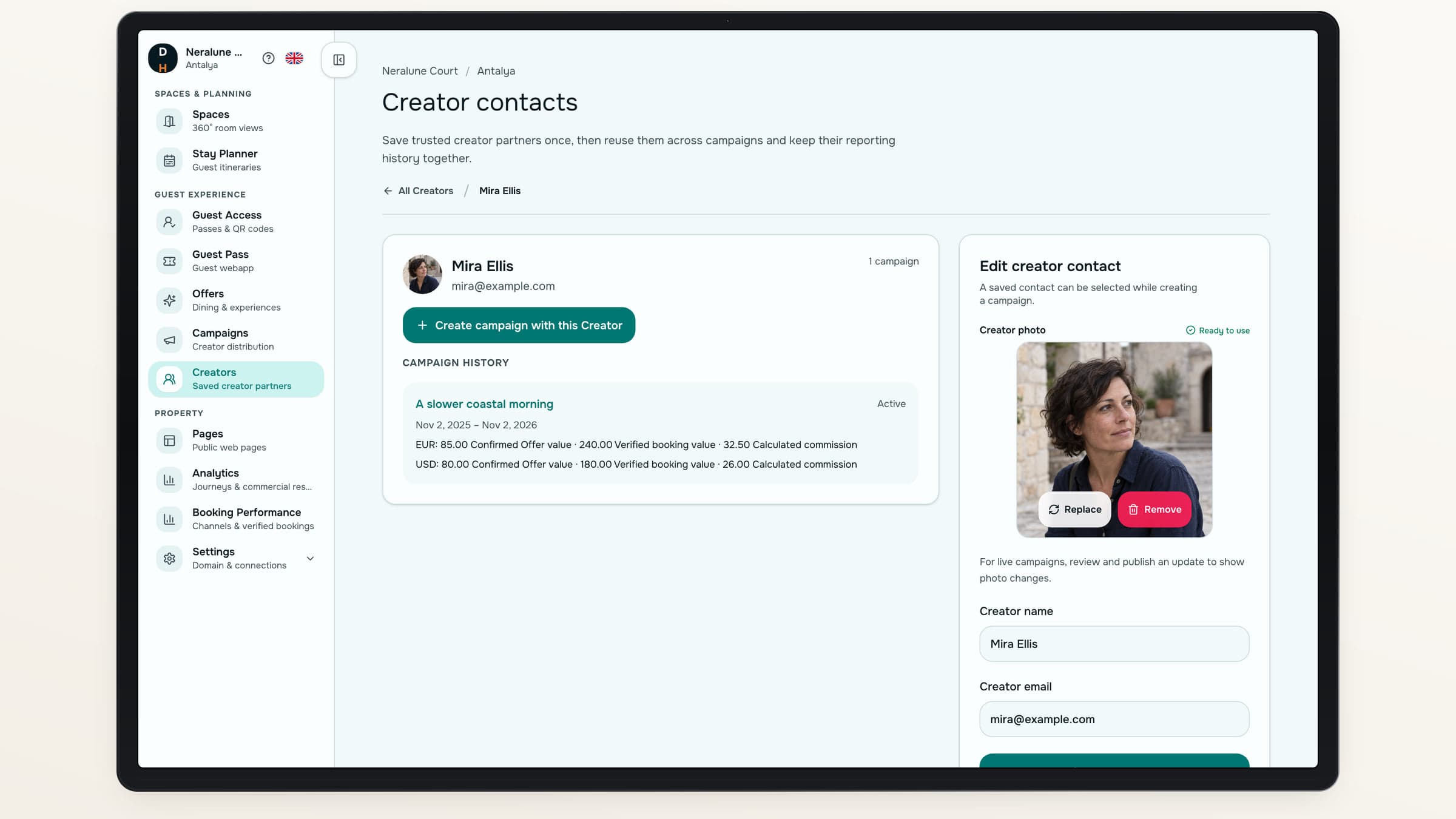
Contacts and history belong to the hotel property.
Give both sides a clearer view.
Keep content review and performance reporting part of the same relationship.
Use case 01
For the hotel
Review what will be published and follow the campaign’s results.
- Approve the submitted content
- Pause or withdraw the campaign
Use case 02
For the Creator
Use a secure submission flow and a private performance report shared by the hotel.
- Upload video and confirm rights
- Review calculated commission and recorded settlement status
Commercial terms with context
See what the commission is based on.
Keep the agreed rate fixed after publication. Calculate commission from eligible verified bookings and confirmed requests for the campaign’s Offers, including completed experiences. Each currency is shown separately.
Activity and outcomes apart
Views and pending requests do not earn commission.
A report to share
Give the Creator private, time-limited report access.
A settlement record
Record external settlement status and retain its history.
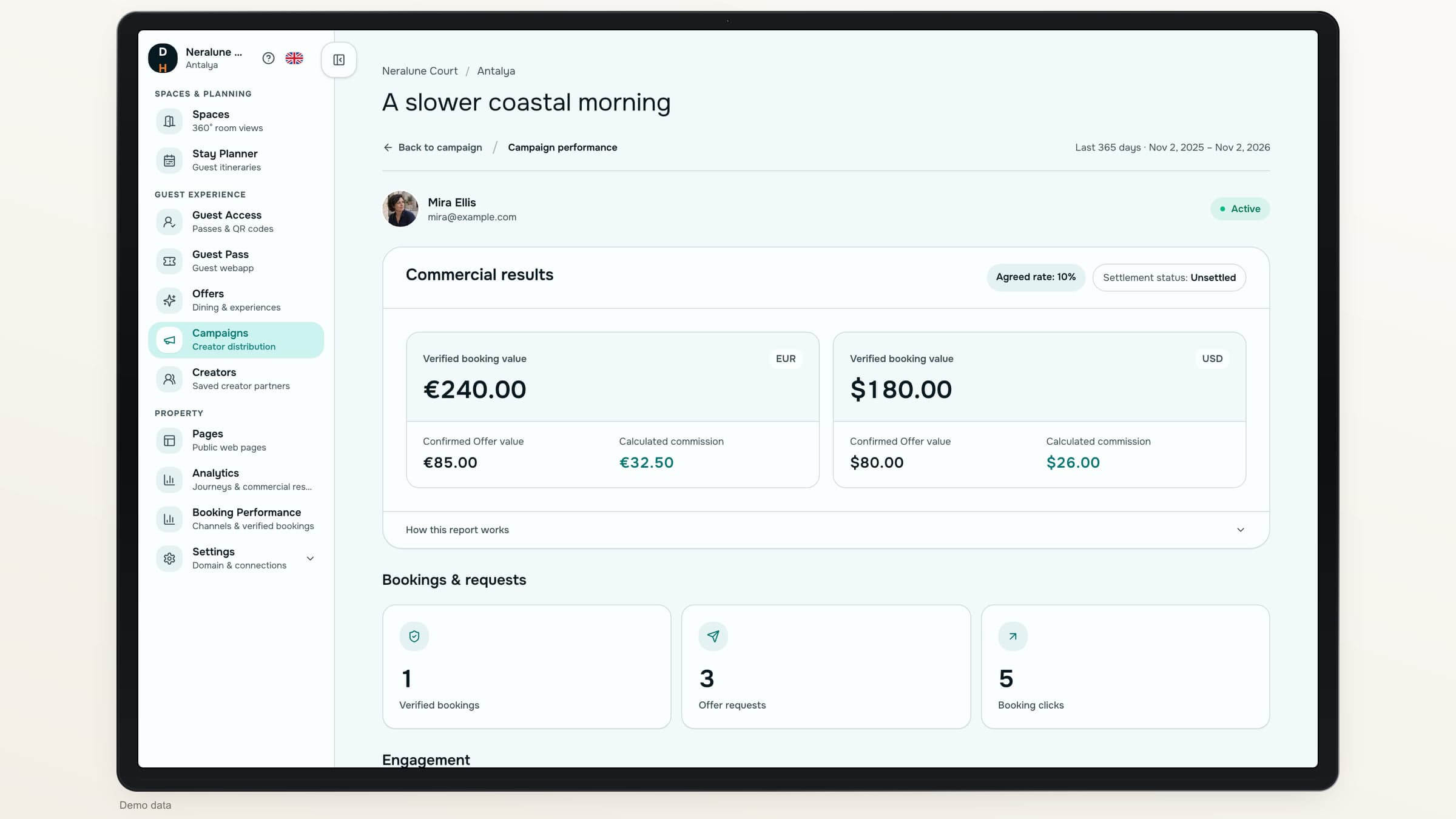
A clear agreement
Keep the collaboration transparent.
- Review before publicationThe hotel approves the submission and publication rights before release.
- Updates are deliberateAn edited campaign needs approval before replacing the current published version.
- Settlement stays externalA recorded status does not execute or prove payment. There are no automated payouts.
About Creator campaigns
Does the Creator need a Destinflow account?+
No. The Creator opens a secure invitation link and submits everything in the browser.
Can we choose what the campaign features?+
Yes. Select the hotel’s Spaces and Offers for the campaign, then preview the page before publication.
Can the Creator see their results?+
Yes. Your hotel can share a private, expiring report with engagement, attributed outcomes, calculated commission and recorded settlement history.
Does Destinflow pay the Creator?+
No. The product calculates commission and records manual settlement status. Your hotel handles any payment externally.
Destinflow for Hotels
Make the next collaboration easier to follow through.
Explore the journey from a Creator brief to a published campaign and shared report.
- Hotel approval
- Dedicated campaign pages
- Transparent commission reporting