
Let guests ask. Let reception welcome them in.
Guests enter their details from your public guide. Reception reviews the request and approves access, without opening the content editor or typing everything again.
From public QR to private guest access.
- 01
Scan the hotel QR
The guest opens the public guide.
- 02
Request access
They enter a name and email; the guide remains available while they wait.
- 03
Reception approves
Your team checks eligibility and chooses an access end date.
- 04
Open the invitation
The guest follows the email to unlock private content on the same guide.
Made for the reception desk
Keep the next arrival easy to find.
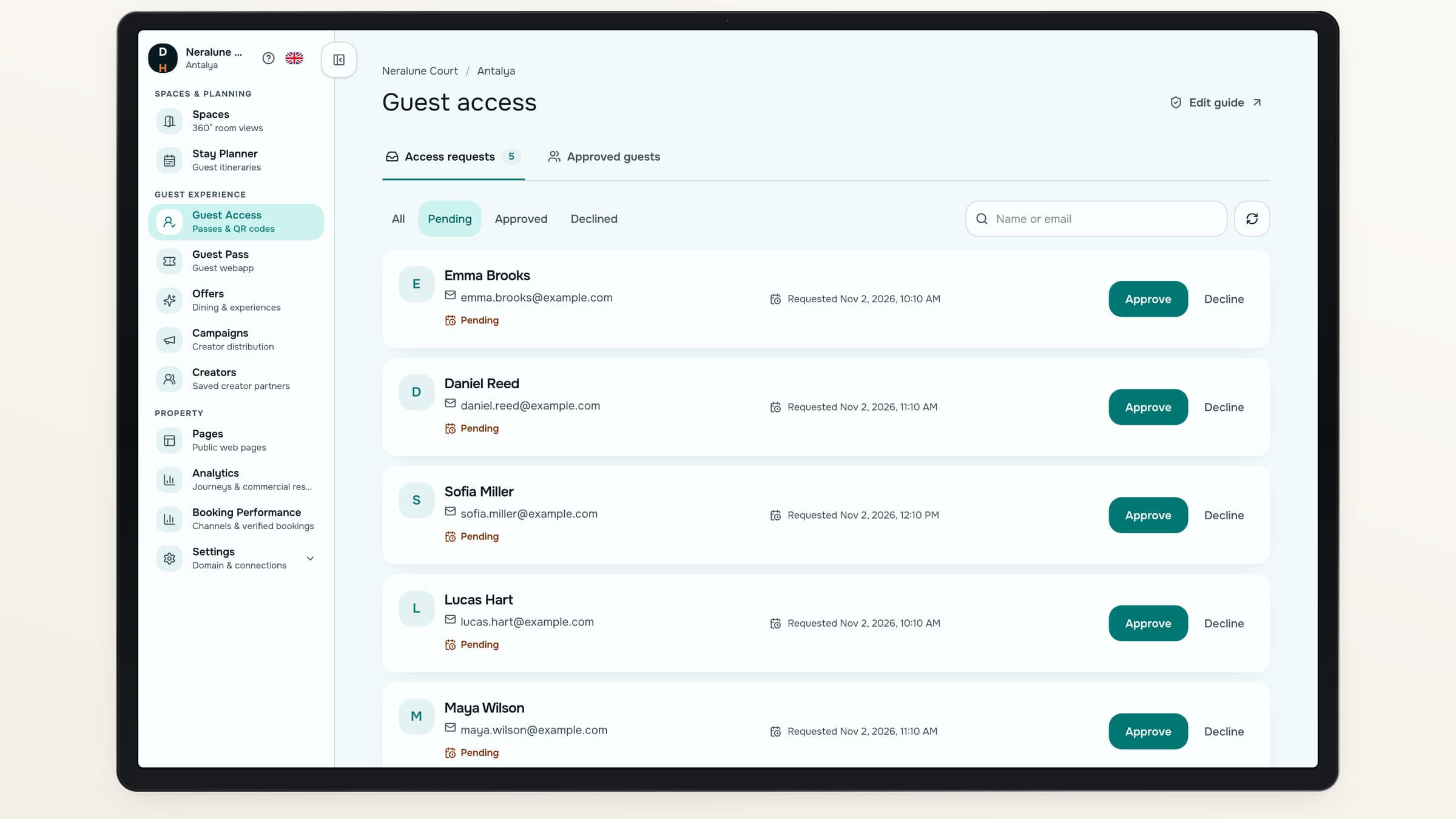
See pending requests, search by name or email and review access states in a dedicated workspace. Approve from the request itself.
A focused queue
Find the requests waiting for a decision.
No repeated entry
Use the details the guest already submitted.
A clear access end
Choose the end date in the hotel’s timezone.
A separate job from editing content
Welcome guests without rebuilding the guide.
Granting access does not create another page or publish a new content draft. Your hotel maintains one shared guide while reception manages who can use its private features.
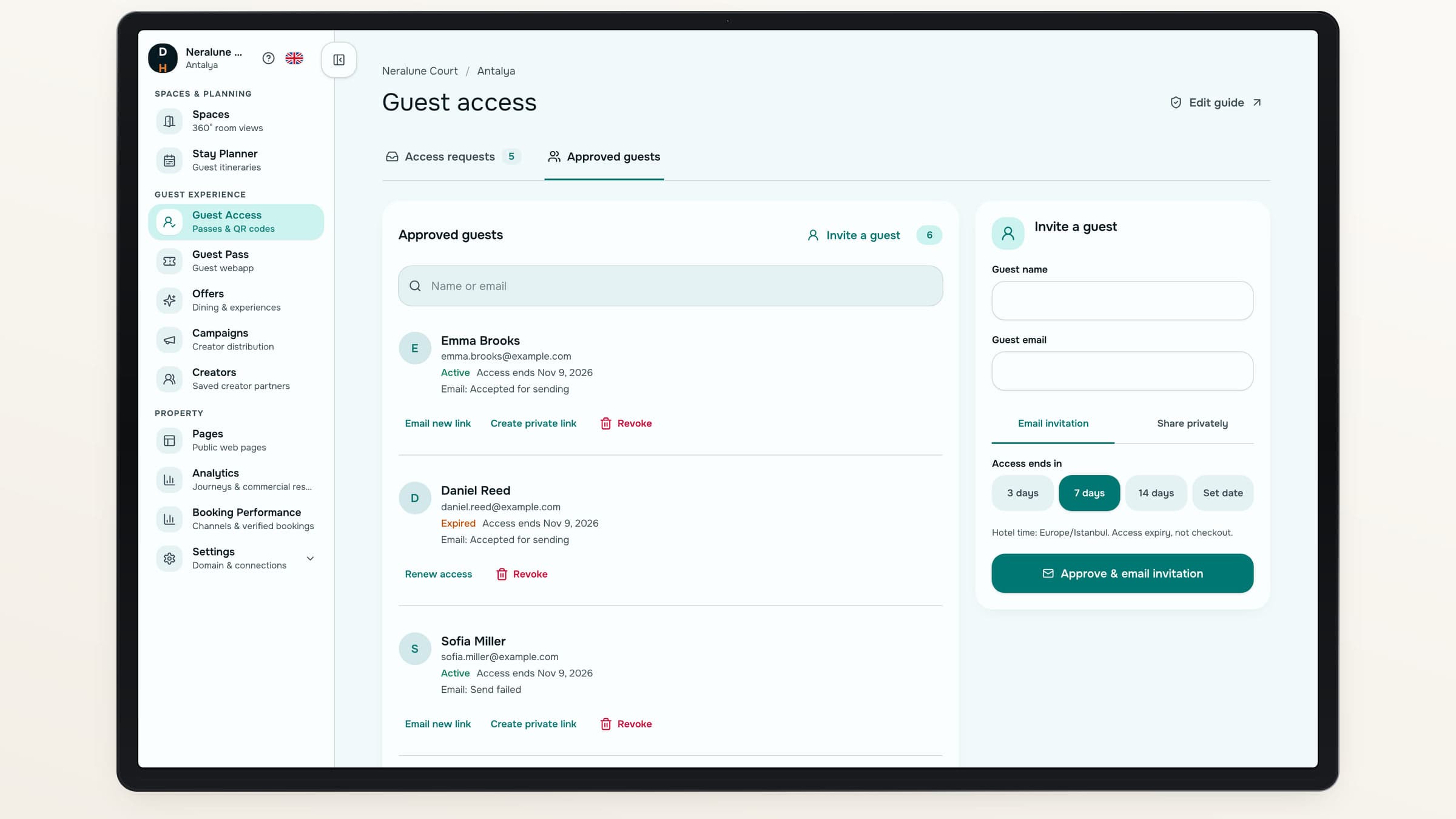
Content editing and day-to-day guest access have separate workspaces.
There is more than one way to share access.
Use the path that suits the guest in front of you.
Use case 01
Send an email invitation
Invite directly or approve a guest-submitted request.
- Resend when needed
- Keep authorization separate from send status
Use case 02
Share privately
Prepare a private link or downloadable QR when email is not practical.
- Use a guest-specific link
- Set an explicit access end
After the first invitation
Keep access manageable as plans change.
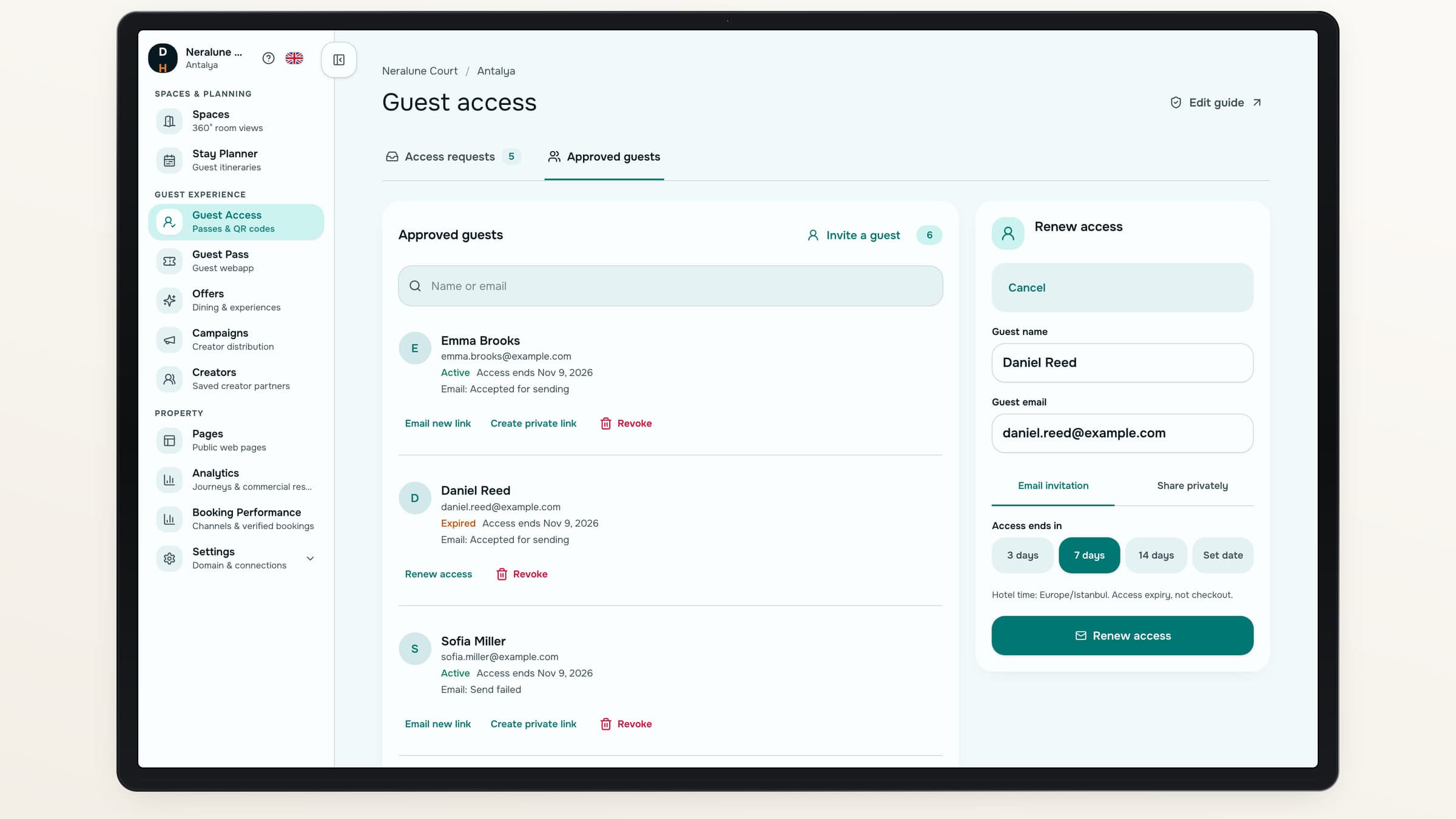
Renew access explicitly, revoke it when needed or help an approved guest recover access. Replacing an invitation keeps the guest’s associated request history.
Recover without starting over
Approved guests can request a fresh email invitation.
See what happened
Distinguish an accepted email send from a failed attempt.
Keep control
Expiry and revocation continue to govern private access.
Access on your terms
Approval has a clear meaning.
- Your team checks eligibilityA submitted name or email does not verify a hotel stay.
- Expiry is an access settingThe end date is not a verified checkout date.
- Email status stays honestAn accepted send is not a promise that the message reached the inbox.
About guest access
Does this perform online check-in?+
No. It grants access to private hotel-guide content and guest actions. It does not check guests in, allocate rooms or verify reservations.
What if an invitation email fails?+
Authorization remains available. Your team can retry the email or prepare a private link or QR without creating another guest record.
Can a guest renew expired access themselves?+
No. Expired or revoked access needs an explicit hotel approval or renewal. Public recovery cannot restore it.
How long can access last?+
The default is seven days. Your hotel can choose an end date within ninety days of approval or explicit renewal.
Destinflow for Hotels
Give reception a simpler way to grant access.
Follow a request through approval, invitation and private guest access.
- Guest-entered details
- Hotel approval
- Renewable, revocable access