
Everything for the stay. Right at hand.
Where is breakfast? Is the spa open? What is happening today? Give guests one useful place to look, from the first scan to the last day.
Useful from the first tap
Start with what guests need now.
Put Wi-Fi, Concierge, directions and today’s next program close at hand. Let the rest of the guide unfold around food, wellness, experiences and essentials.
Connect
Show the network name; share protected passwords only with approved guests.
Reach the hotel
Open a call, email, WhatsApp or hotel-owned destination.
See what is on
Bring daily programs and service hours into the guide.
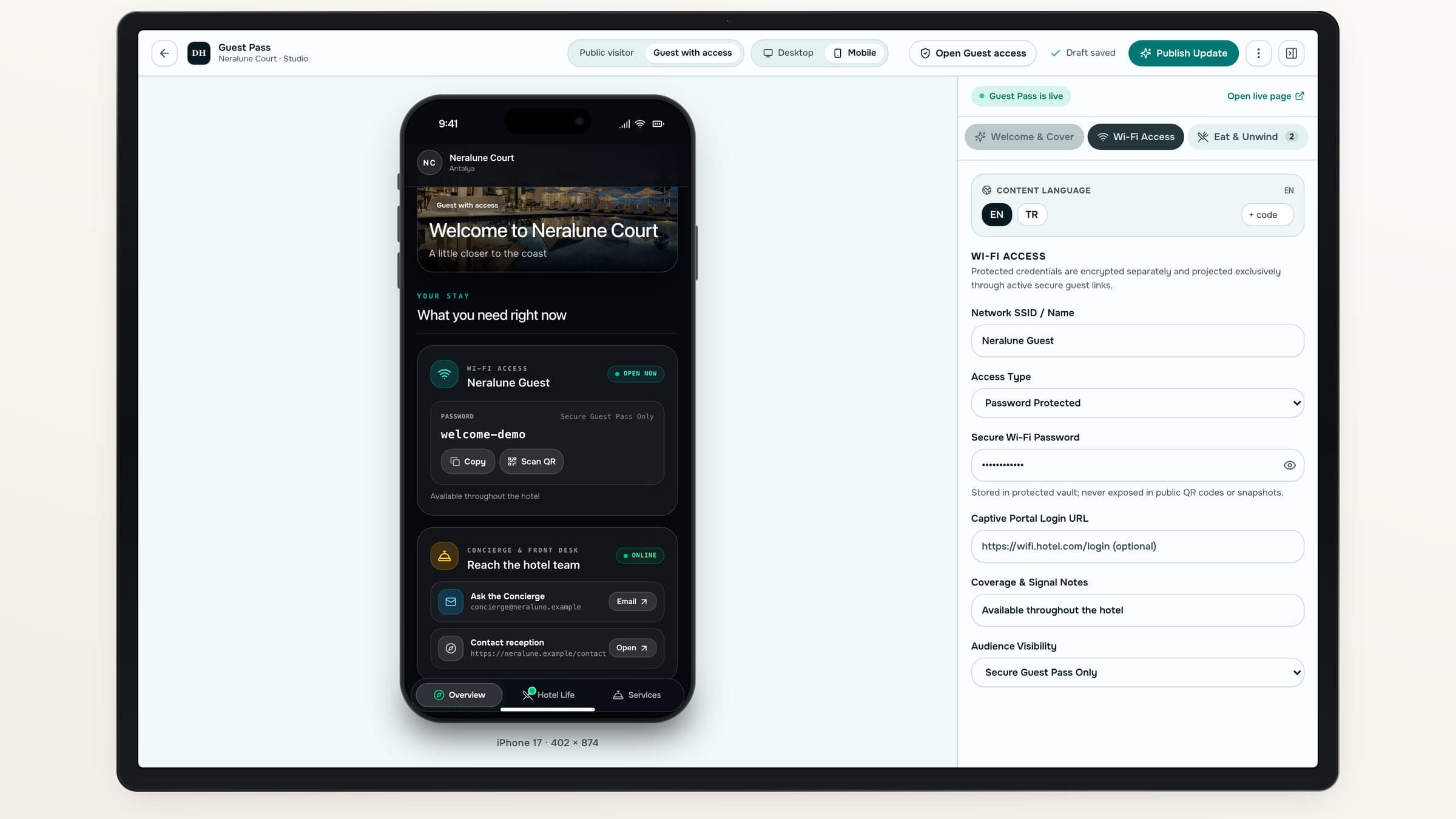
One guide. Two ways to arrive.
Maintain shared hotel content once, with access appropriate to the visitor.
Use case 01
Just exploring
Public visitors can discover the property before arrival.
- Browse public services and programs
- Explore selected Spaces and Offers
Use case 02
Staying with you
Guests approved by your hotel unlock private content and supported guest actions.
- See protected Wi-Fi details
- Find their own experience requests
Make the hotel easy to navigate
The restaurant, the pool, the next good idea.
Give venues their own photography, location guidance and useful actions. Add menus or reservation destinations, and connect a service to its Space or Offer.
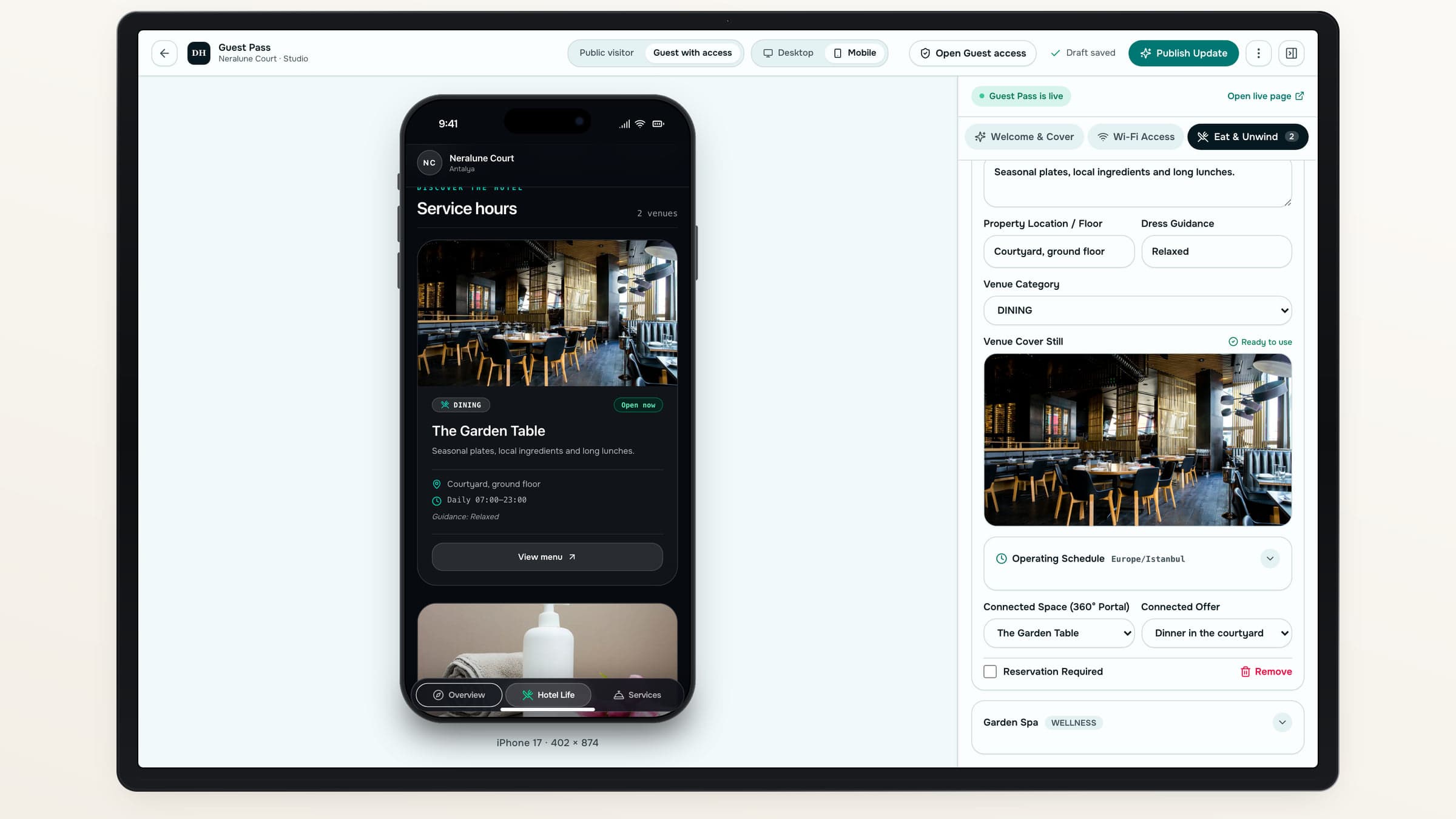
Public and guest-only visibility is set for the content it affects.
Set it up once. Keep it useful.
- 01
Add the essentials
Prepare venues, programs, Wi-Fi and contact actions.
- 02
Set the hours
Use the hotel’s timezone, weekly intervals and date exceptions.
- 03
Choose who sees what
Separate public content from protected guest details.
- 04
Preview and publish
Check both guest experiences and share the public QR.
More to enjoy
Let information turn into a plan.
Guests can discover an Offer, request an experience and follow its status. Open Stay Planner to bring the hotel’s programs and nearby suggestions into their days.
Experience Offers
Put the next step beside the experience.
Their own requests
Show real statuses to authorized guests.
A plan for the days
Connect the guide to a personalized stay plan.
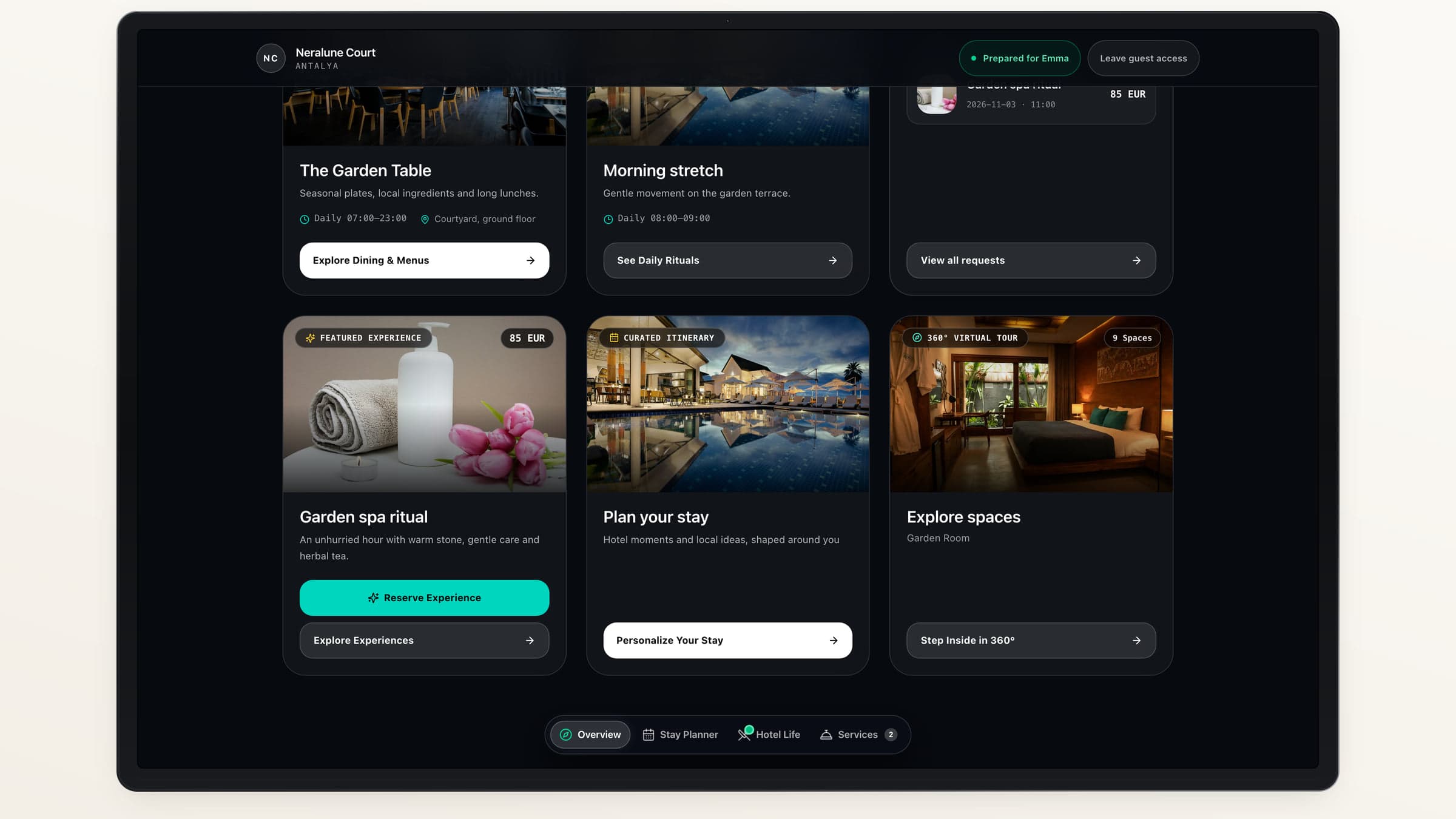
Useful throughout the stay
Useful information, clearly described.
- Hours, not live capacityOpen and closed states come from your configured schedule, not a live availability feed.
- Wi-Fi, not a room keyThe guide shares connection information; it does not unlock guest rooms.
- Help without an appGuests use their browser. Concierge actions open your chosen contact destinations.
About Guest Pass
Do guests need an account or app?+
No app installation or guest account registration is required. The public guide opens by link or QR. Private content needs access approved by the hotel.
Will visitors see our protected Wi-Fi password?+
Protected credentials stay out of the public guide. They are available only through the authorized guest experience.
Can we change hours for a holiday?+
Yes. Schedules support date exceptions, effective dates, split hours and overnight intervals in the property’s timezone.
Is Concierge a live chat service?+
No. Concierge actions connect to your configured phone, email, WhatsApp or hotel-owned URL. Destinflow does not provide a native live chat inbox.
Destinflow for Hotels
Put the useful side of your hotel in every guest’s hand.
See how a shared guide becomes a practical companion for the stay.
- No app installation
- Public and guest-only content
- Your services and programs