
Give guests more reasons to enjoy the stay.
A spa treatment. Dinner worth lingering over. A transfer that takes one thing off their mind. Put your experiences where guests can find them and take the next step.
Make the experience tangible
Show the place. Explain the experience.
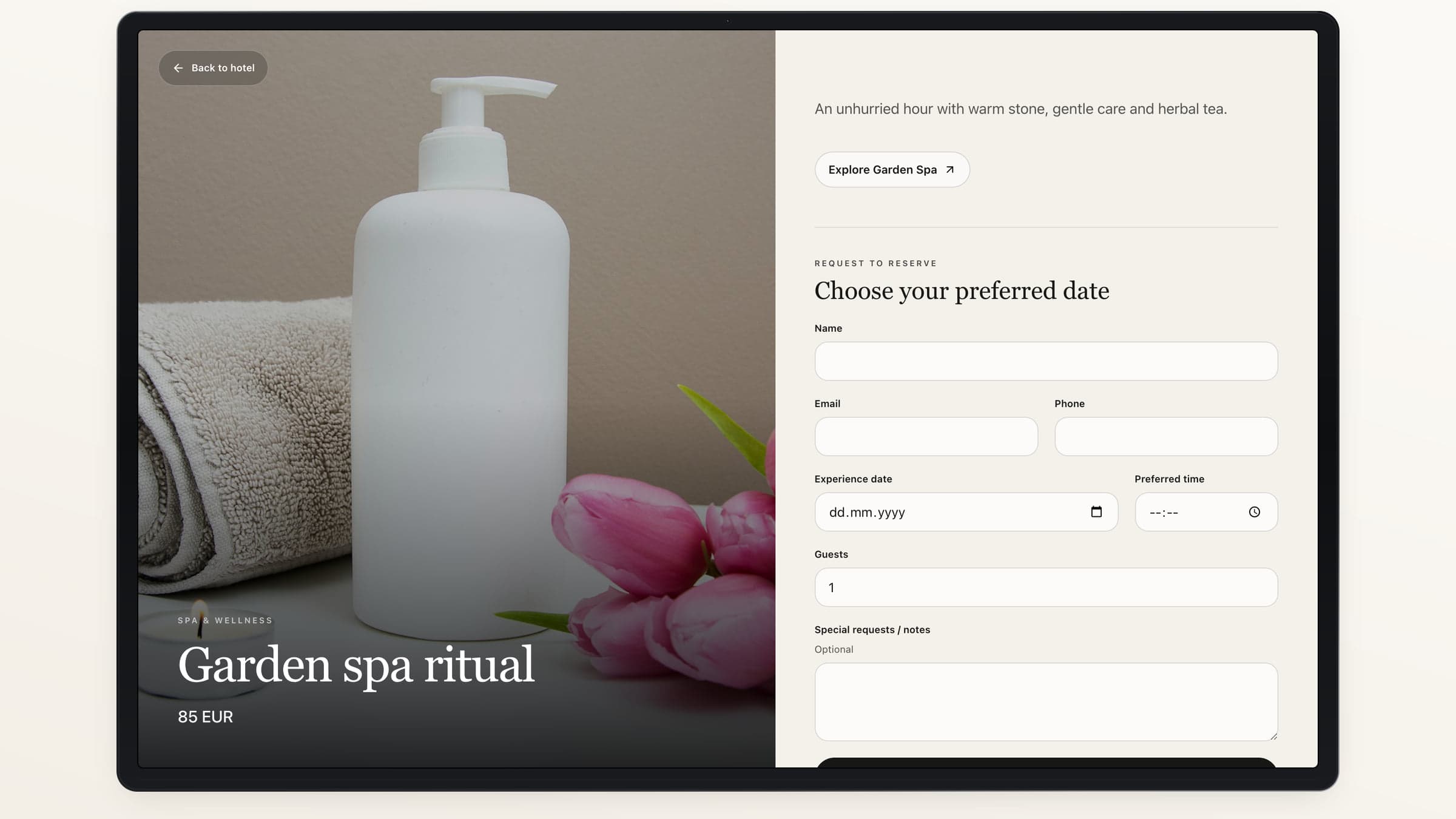
Add photography, a price, the useful details and a related Space. Guests can explore where the experience happens before they request it.
The details up front
Include terms, instructions and the price currency.
The setting beside it
Connect the Offer to the relevant hotel Space.
The right place to discover it
Choose placements on hotel pages and Guest Pass.
Keep every request moving.
- 01
The guest chooses
They choose a date, an optional time and the number of guests or items.
- 02
Your team reviews
Find the new request and its details in the inbox.
- 03
You confirm or decline
Record the decision and the confirmed value.
- 04
The guest checks the status
Their request receipt shows the current outcome.
Across the property
From the spa to the city beyond.
Use Offers for wellness, dining, transfers, celebrations and local experiences. Pause an Offer when it should stop accepting new requests.
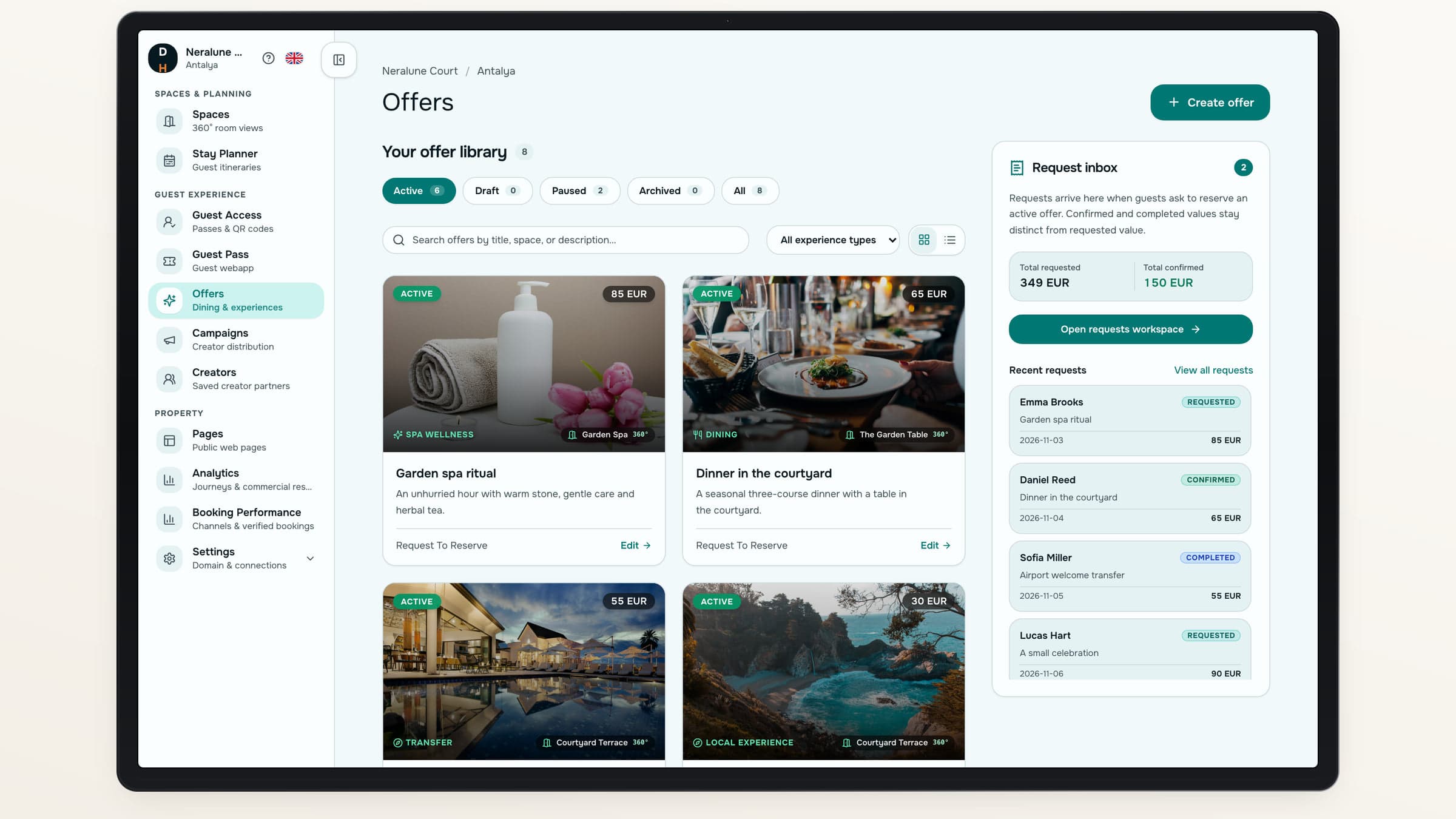
Each Offer has its own media, price, terms and reservation method.
Use the reservation method that fits.
Choose how guests take the next step for each Offer.
Use case 01
Requests your team reviews
Use request-to-reserve, pay-at-hotel or a payment link provided when the hotel confirms.
- Review the date and guest count
- Confirm or decline the request
Use case 02
Your own checkout
Send the guest to a hotel-owned checkout URL.
- Keep the checkout with your hotel
- Use the published external destination
A working inbox
Keep the request and the decision together.
Review unread requests, update their status and retain the history. Requested, confirmed and completed values stay distinct.
See what needs attention
New and seen requests are distinguishable.
Record the agreed value
Confirm the amount your hotel has agreed.
Close the loop
Record completion or cancellation.
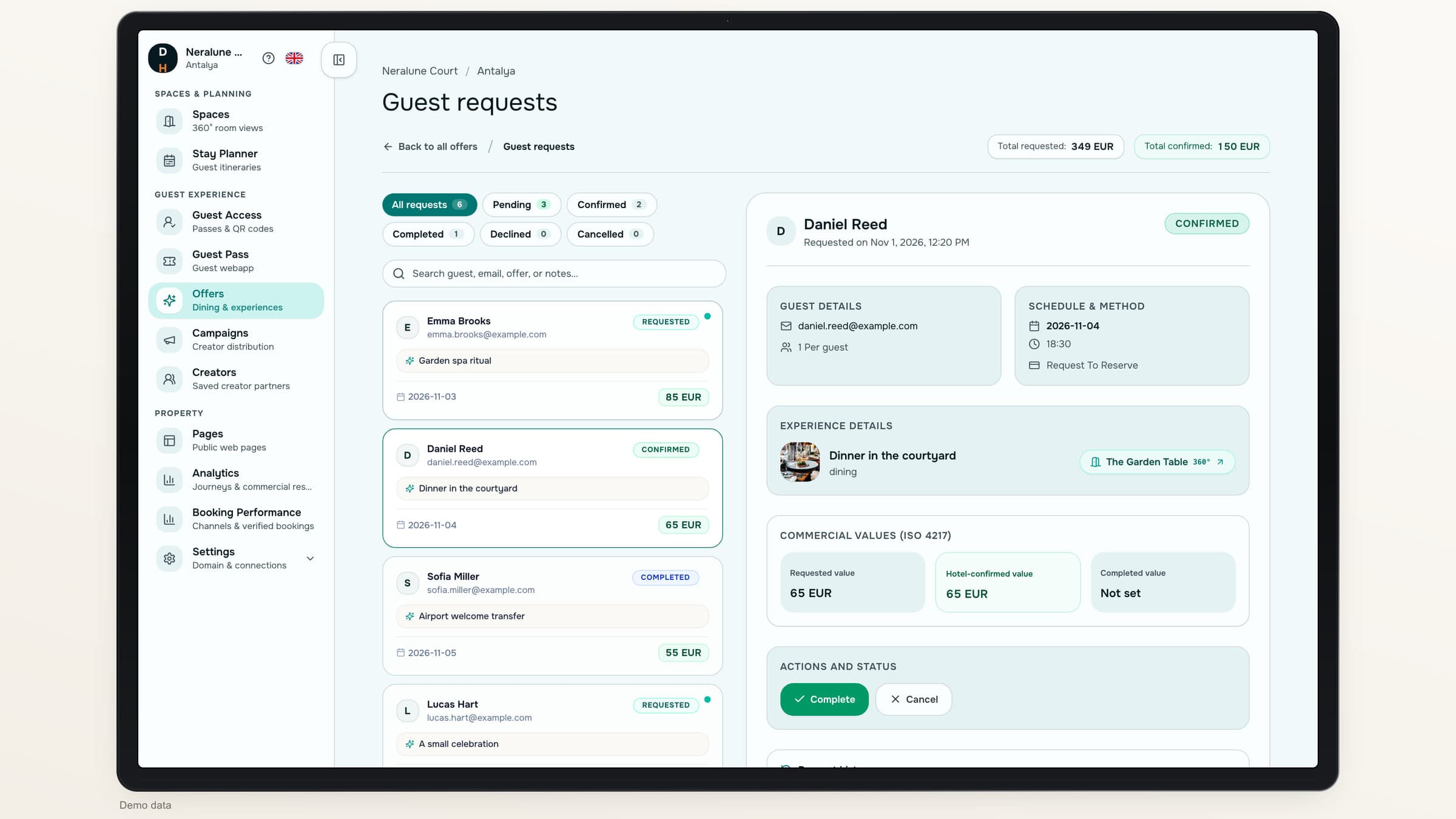
Interest is the start. Confirmation is the decision.
Shift 01
Status
A guest’s request
An experience the guest would like
Your hotel’s confirmation
An experience your hotel has accepted
Shift 02
Value
A guest’s request
The requested total
Your hotel’s confirmation
The amount confirmed by your hotel
Shift 03
Stay plan
A guest’s request
Shown as pending when linked
Your hotel’s confirmation
Shown as a confirmed experience when linked
About Offers and reservations
Does a request guarantee availability?+
No. A request remains pending until your hotel confirms it. Neither an Offer page nor a stay plan promises live availability.
Does Destinflow collect the payment?+
No. Guests can pay at the hotel, follow your checkout URL or use a payment link your hotel provides with confirmation. Destinflow does not hold or settle hotel funds.
Can guests see what happened to a request?+
Yes. Public requests have a private receipt. Authorized Guest Pass users can also see their associated requests and current statuses.
Can we stop offering an experience?+
Yes. Pause an Offer to stop new requests, or archive it when it is no longer part of your current offering.
Destinflow for Hotels
Make the next great experience easy to find.
Walk through Offer creation, guest requests and hotel confirmation.
- Visual Offer pages
- Hotel-controlled confirmation
- Your payment destinations