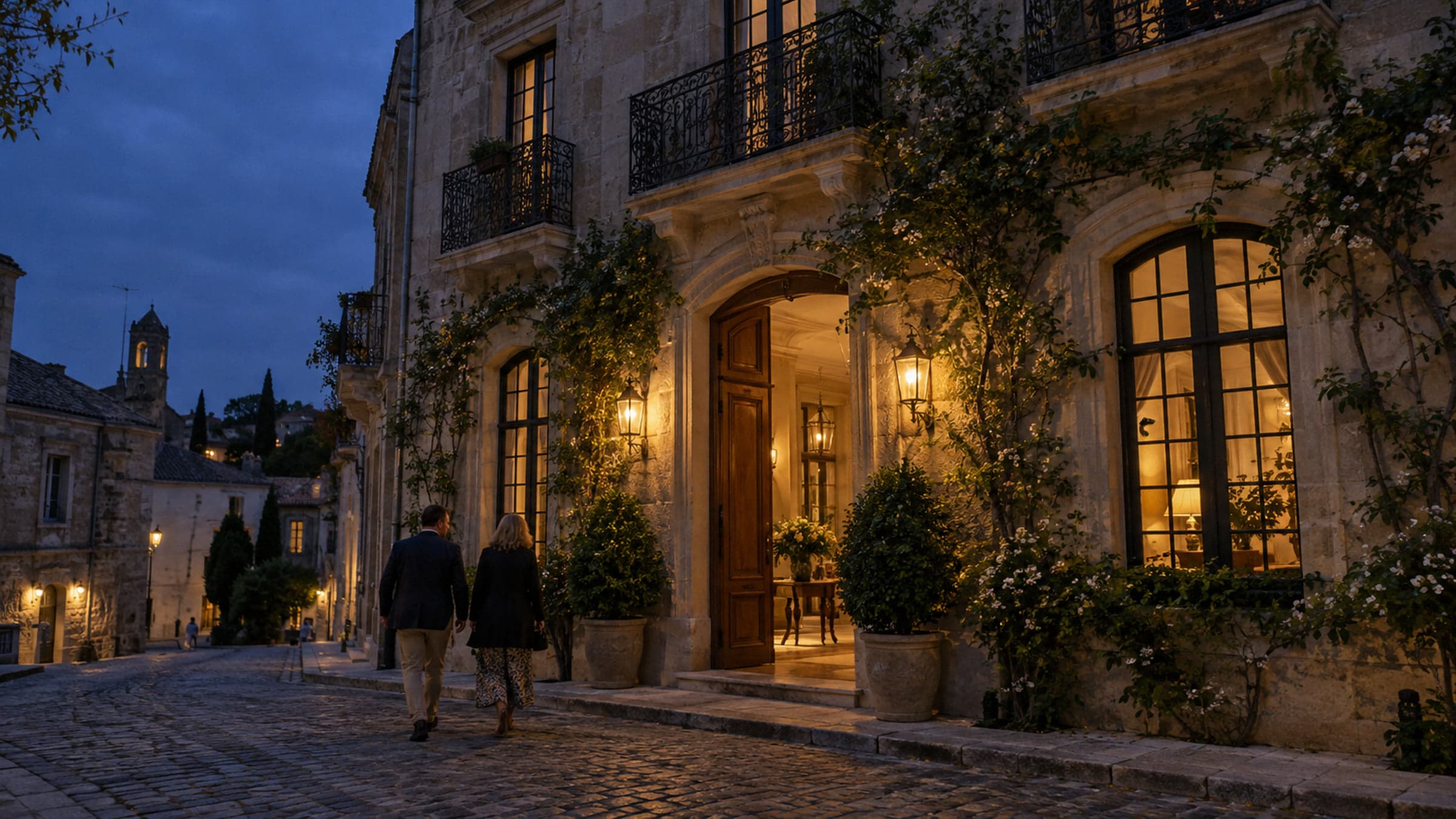
Make the first visit feel like your hotel.
Bring your spaces, story and experiences together in a visual hotel presence. Choose a design family, add your identity and publish at your own pace.
A home for the whole property
Let every part of the hotel have a place.
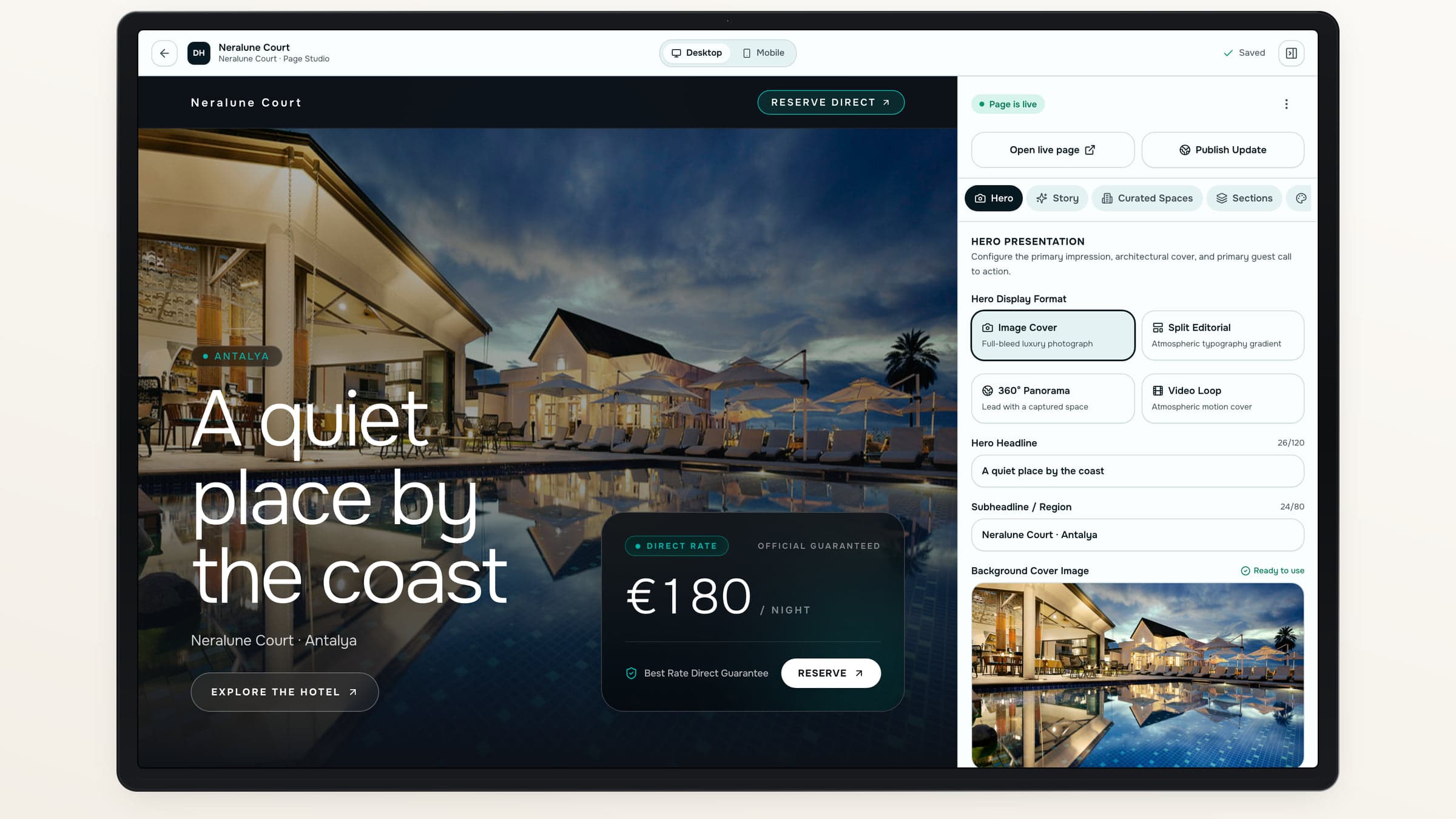
Create your Home, Spaces, About and Contact pages, then add custom pages when the story needs more room.
Lead with the right view
Choose photography, video or a 360° hero.
Add useful detail
Bring in maps, FAQs, galleries and contact destinations.
Make experiences visible
Place relevant Offers inside your published pages.
Keep the property connected
A beautiful page should lead somewhere useful.
The room lives elsewhere
Guests should not have to piece together the room, the restaurant and the next step.
The experience is easy to miss
Give hotel services a place alongside the spaces that make them appealing.
Destinflow answer
Bring discovery and action together
Use the same Spaces and Offers across your hotel’s pages, with clear ways to explore or request an experience.
- Explore a Space
- Find an experience
- Continue to official booking
Two design families
Choose the expression that fits.
Editorial Heritage gives the story room to breathe. Cinematic Immersion puts large-scale imagery at the center. Both bring your hotel’s pages and Showcases into a shared visual identity.
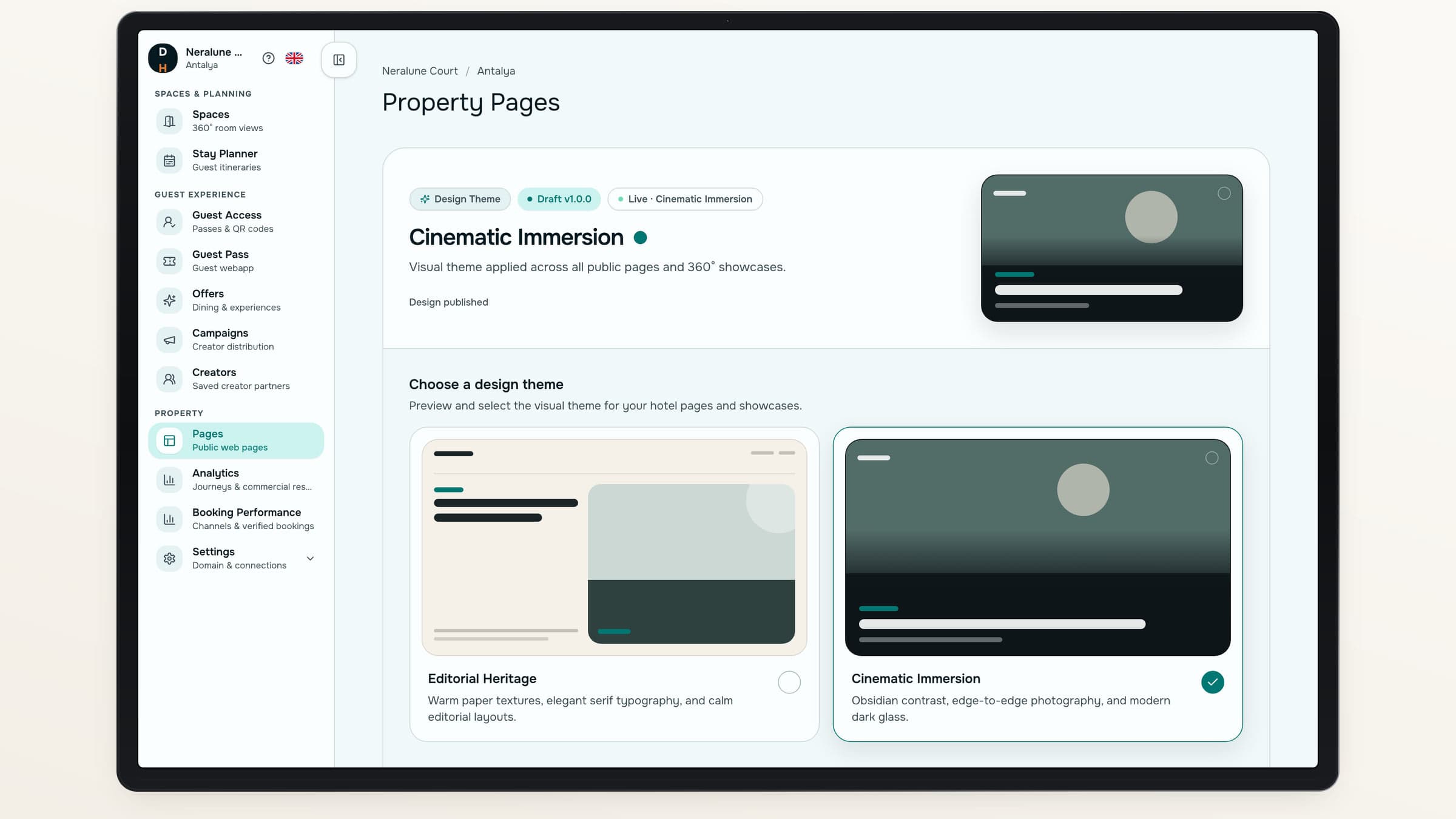
Choose a family, logo and accent at property level.
Build in private. Publish when it feels right.
- 01
Choose the page
Start with an essential page or add your own.
- 02
Compose the story
Add media, Spaces and concise content.
- 03
Preview the experience
Check the presentation before release.
- 04
Publish the version
Make the reviewed content available to guests.
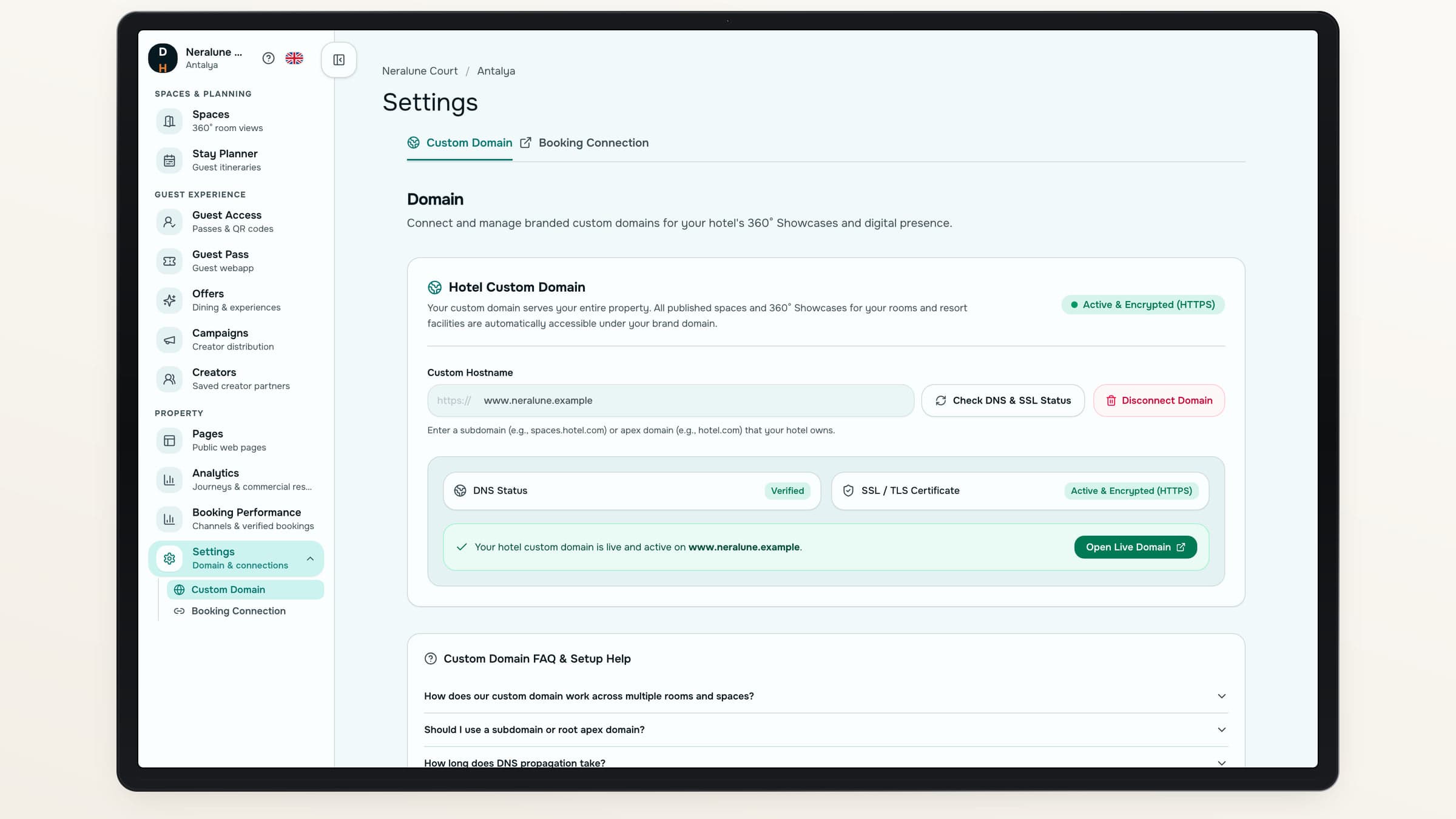
An address of your own
Bring guests to your hotel’s domain.
Configure a custom domain and follow its verification status. Each published page has its own search title and description.
Your property’s address
Connect your domain once ownership, DNS and security checks pass.
Your chosen languages
Maintain localized hotel content.
Your existing booking destination
Keep the room-booking action pointed at your official site.
Draft to live
Keep today’s site steady.
- Drafts do not rewrite live pagesWork on the next version without replacing the published content.
- Design changes are deliberatePreview your family choice, then publish the design update.
- Content stays with the propertySwitching design families preserves the underlying hotel content.
About your hotel website
Can we publish only the pages we have prepared?+
Yes. Pages have their own drafts and publication actions. You can prepare content without releasing it immediately.
Can we use our own domain?+
Yes. Once the domain passes ownership, DNS and security checks, it can serve your hotel’s public site.
Can guests explore experiences from the website?+
Yes. Active Offers can be placed on published pages, with related Spaces and the Offer’s supported reservation method.
Is this an unrestricted page builder?+
No. The editor uses defined hotel content sections and two design families. It does not accept arbitrary scripts or custom CSS.
Destinflow for Hotels
Give your hotel a connected front door.
See how pages, Spaces and experiences come together around your property.
- Two design families
- Your branding and domain
- Separate drafts and publication