
See what guests do after the first look.
Follow the path from exploring a Space to requesting an experience. Bring the website, Offers, Planner, campaigns and booking actions into one clear view.
Five journeys, one property
Find the moment guests move forward.
Review website activity, Offers, booking attribution, Creator campaigns and Stay Planner. Each view shows the stages it can measure.
Discovery
Follow page views, Space interactions and Offer interest.
Experience requests
Separate requested, confirmed and completed stages.
Planning and distribution
Review Planner actions and campaign outcomes.
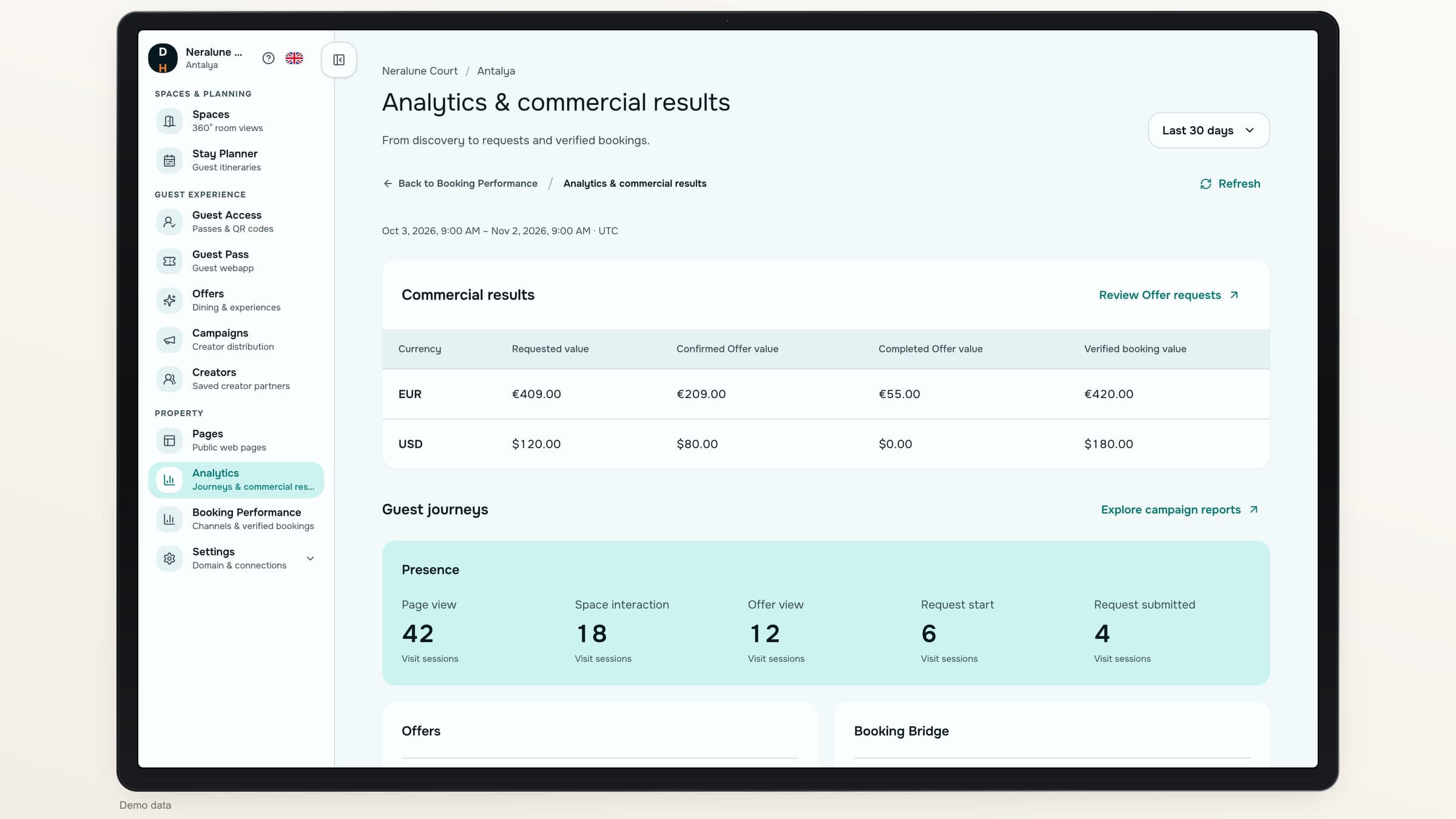
From interest to action
See each journey on its own terms.
A visit session, a request and a booking are different units. The report keeps those differences visible.
Connected layer
Presence
From a hotel page to an experience request.
Page viewedSpace exploredOffer request submitted
Connected layer
Offers
From the initial request to the hotel’s decision.
RequestedConfirmedCompleted
Connected layer
Booking
From a prepared outbound action to a supported outcome.
Booking clicksVerified bookings
Connected layer
Creators
From the campaign story to attributed actions.
Campaign viewsVideo engagementVerified conversions
Connected layer
Planner
From opening the composer to sharing the plan.
Preferences completedPlan generatedPlan shared
Choose the period
Look at the window that matters.
Choose the last seven, thirty, ninety or 365 days. See the exact date range and the oldest activity still kept in your records.
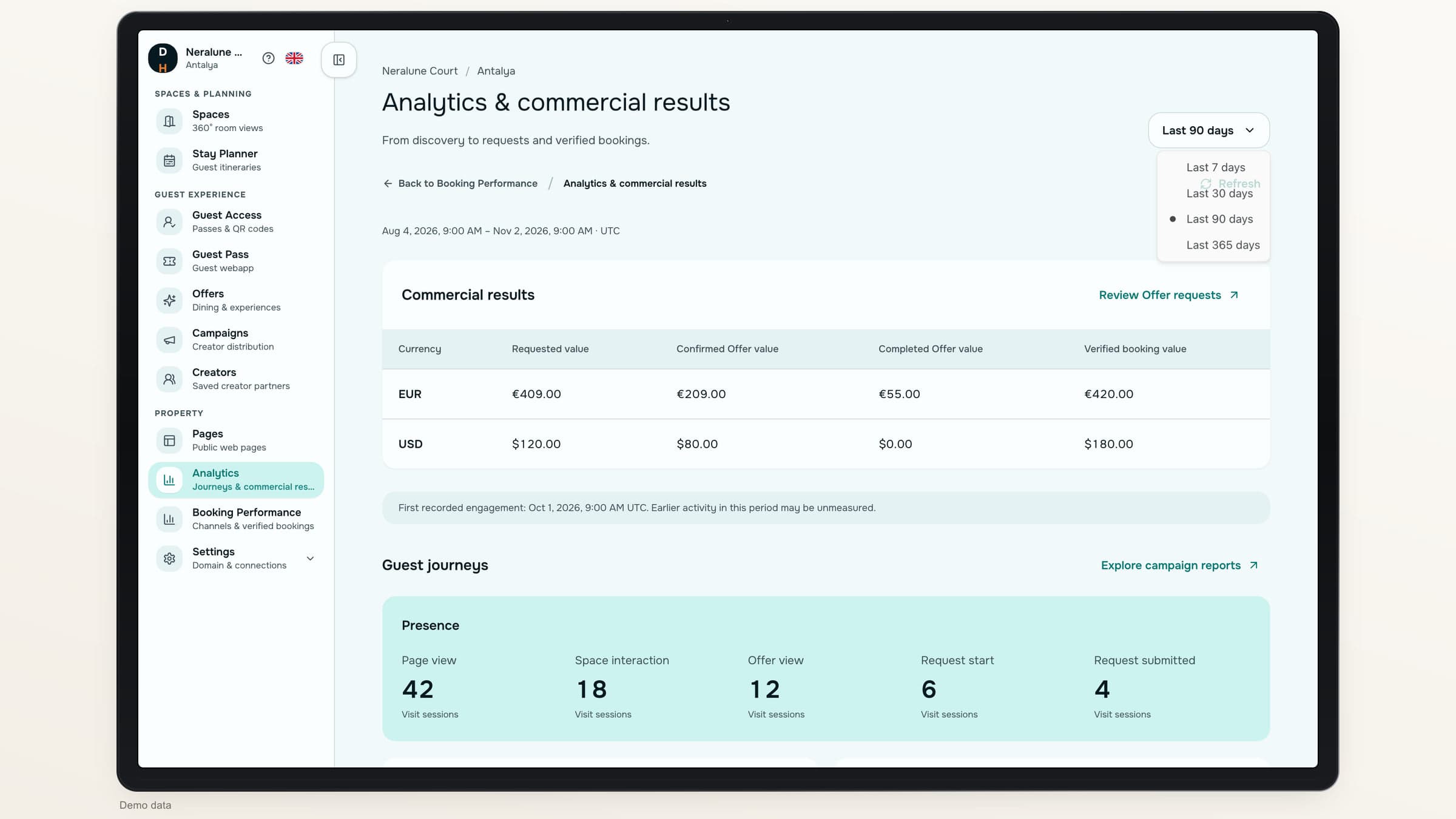
Unavailable measurement is shown explicitly, rather than disguised as zero.
Keep the values meaningful.
Shift 01
Requested value
Reported value
Interest at the displayed price
What it represents
An estimate, not confirmed business
Shift 02
Confirmed Offer value
Reported value
The hotel accepted the request
What it represents
Separate from requested estimates
Shift 03
Completed Offer value
Reported value
A confirmed experience reached completion
What it represents
A subset, not extra revenue to add again
Shift 04
Verified booking value
Reported value
A booking confirmed by your team, a matching promo code or a supported integration
What it represents
Shown in its own currency
Commercial results
Read each currency as it is.
Keep requested estimates, confirmed Offers, completed Offers and verified booking values in separate columns. Read each currency on its own.
No mixed-currency total
Read each currency separately.
Records behind the values
Open the booking records behind each verified value.
Every stage in context
See each recorded stage on its own.
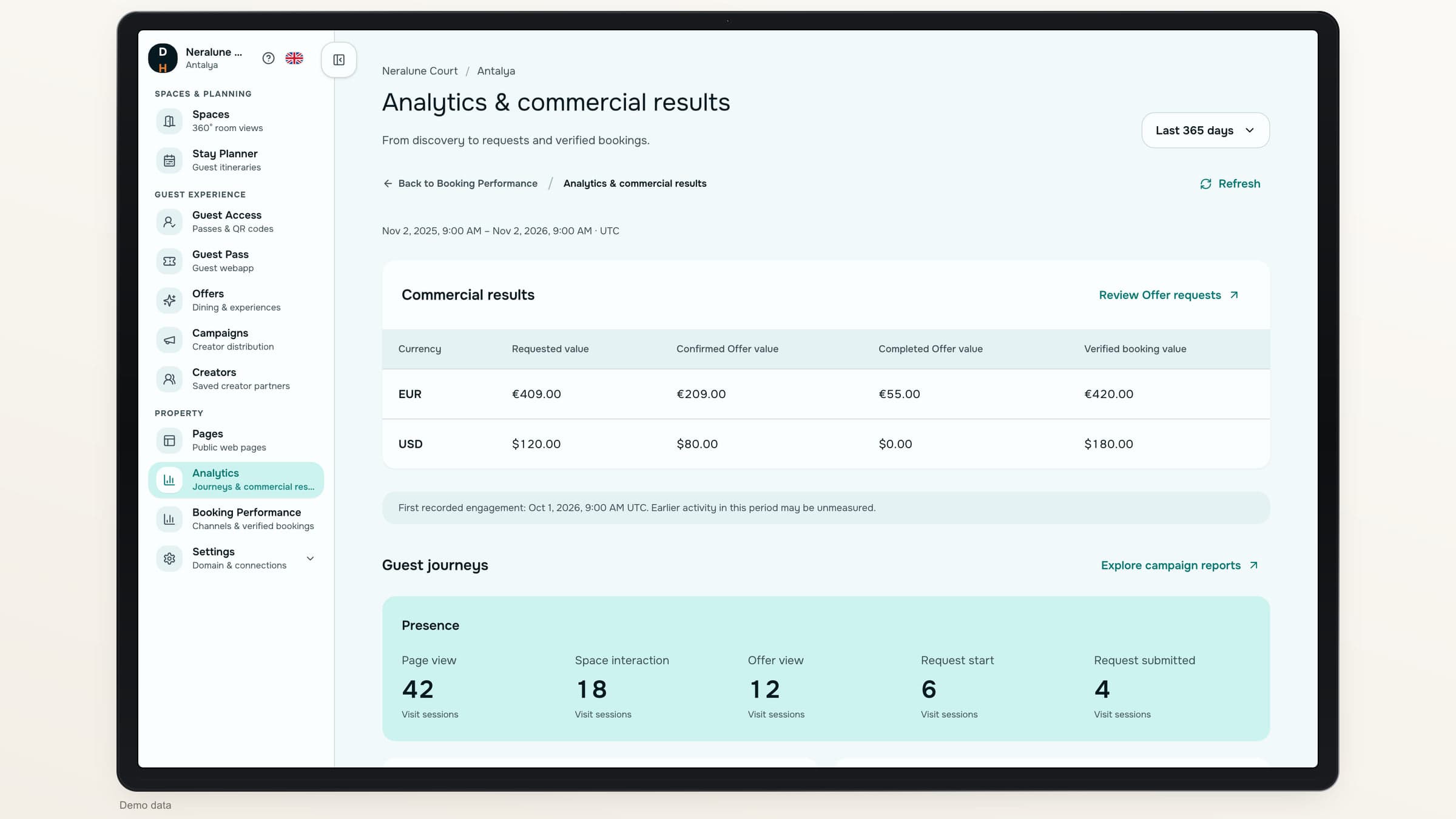
What reporting covers
Useful measurement respects its limits.
- Consent-aware collectionPublic engagement follows analytics consent and respects supported privacy signals.
- Visits are not peopleAnonymous sessions and deduplicated interactions are not labeled as individual guests.
- Some steps stay unmeasuredAn external Booking Engine visit is not measured by the current integration.
About reporting
Which reports are included?+
The property report covers website activity, Offers, booking attribution, Creator campaigns and Stay Planner, with a separate view of each.
Why can engagement and booking-click counts differ?+
Public engagement is counted only with analytics consent. Booking clicks are recorded separately, so the two counts measure different things.
Why does a stage show as unmeasured?+
The system may not have collected that activity, or the current integration cannot observe it. An external Booking Engine page load is one such step.
Can we add confirmed and completed Offer values together?+
Completed Offer value is a subset of confirmed Offer value. Adding them together would count part of the same business twice.
Destinflow for Hotels
See the journey behind the numbers.
Review website, Offer, booking, campaign and Planner results, with the commercial values they support.
- Five connected views
- Separate commercial values
- Clear measurement limits